
Personal and Team Resources
Every Builders project and reusable resource has an ownership scope. Personal resources belong to one user. Team resources belong to a team that has access to Builders. A workflow can select only compatible resources visible through its project's scope.
Start with the project owner
The project is the workflow's primary access context. Its pipelines and versions operate under the project owner; a pipeline does not choose a separate personal or team owner.
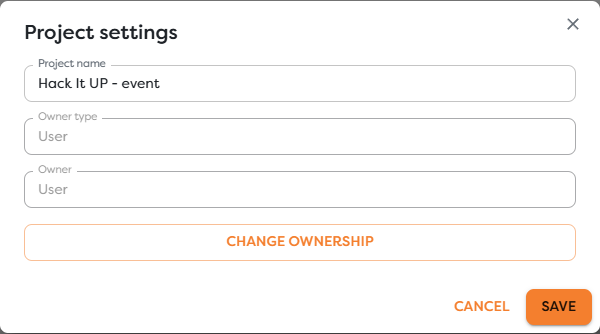
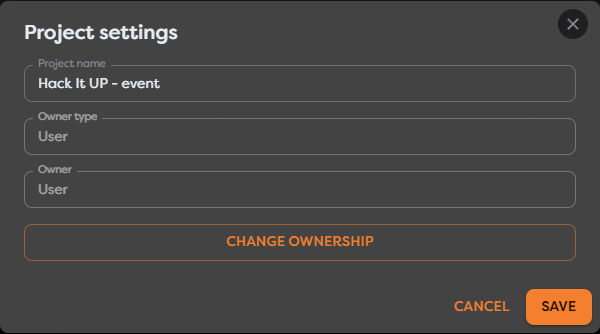
Use a personal project when one account owns the workflow and its dependencies. Use a team project when eligible team members must collaborate on the workflow and operate its shared resources.
For a team-owned project, three conditions apply before a member can work with it:
- The person belongs to the team in the main Boilerplate Team workspace.
- The team has been granted access to Builders.
- The person's role allows the intended Builders action.
Roles govern what the member may do. Resource scope governs what the project may select. These are separate checks.
Match projects and resources
Use this matrix as the default visibility rule:
| Project scope | Resource scope | Expected selection behavior |
|---|---|---|
| Personal project | Resource owned by the same user | Available when its type and capability match the block |
| Personal project | Team-owned resource | Not automatically available |
| Team project | Resource owned by the same team | Available to compatible selectors for permitted team members |
| Team project | User-owned resource | Not available as a private dependency of the shared workflow |
| Team project | Resource owned by another team | Not available unless Builders explicitly provides a supported sharing relationship |
Matching scope does not override other requirements. A team integration can still be absent when it has the wrong provider type or capability, and its external credential can still be rejected by the provider.
Understand which resources are scoped
| Resource | How scope is selected | What the workflow resolves |
|---|---|---|
| Project | Current owner in Project settings | Access context inherited by its pipelines and versions |
| Integration | Owner type and owner during the Assign step | Compatible provider connection for triggers, blocks, files, or approved AI tools |
| Static Drive | Personal or team drive selector | Persistent paths inside the selected owner's drive |
| General Vault | Owner type when the entry is created | Available Vault keys and secure executor-side values |
| Database connection | Owner type when the connection is created | Connections offered to DB Query |
| AI agent connection | Owner type when the connection is created | Private or team model sources offered to AI Agent blocks |
Context Drive is isolated to a workflow run rather than managed as a reusable drive selected from the workspace. Its effective access follows the executing workflow.
Assign a reusable resource deliberately
Resource forms expose Owner type when ownership is chosen. The integration wizard uses its Assign step:


Choose the owner that will operate the dependency for its full lifecycle. Before creating a team resource, confirm:
- which team-owned projects need it;
- whether the team currently has Builders access;
- who maintains or rotates its credential or data;
- which provider account, database, drive, or model environment it targets;
- whether test and production require separate resources;
- which roles may configure the resource and dependent workflow.
Some resource edit forms keep their saved owner read-only. When no supported transfer action is available, create an equivalent resource in the destination scope, reconnect the workflows, test it, and only then remove the original.
Understand why a private integration is missing
A personal integration can be healthy and still remain unavailable to a team project. Builders excludes it to prevent a shared workflow from silently depending on a credential that belongs to one member's private scope.
The affected block can show an empty integration selector and a required-configuration warning:
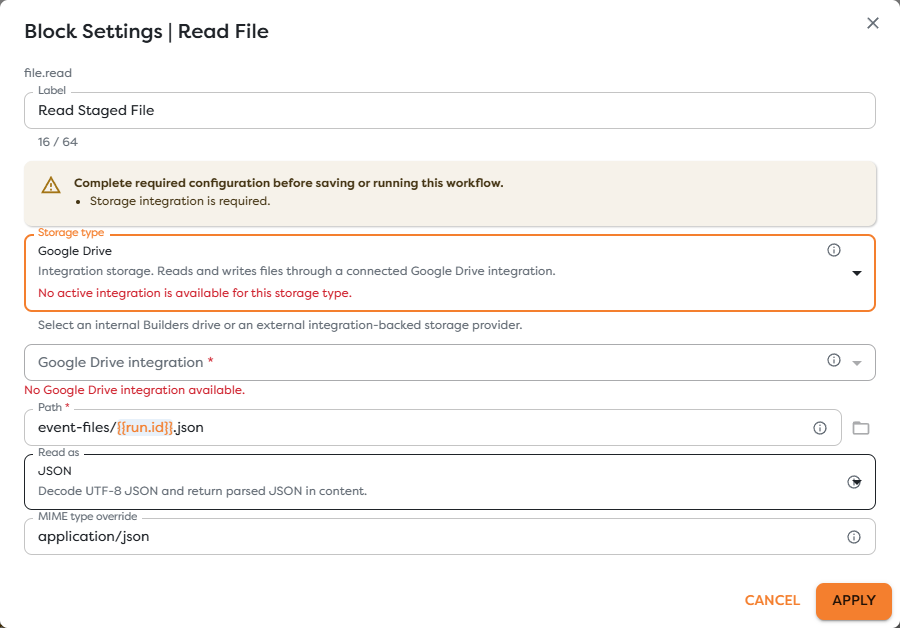
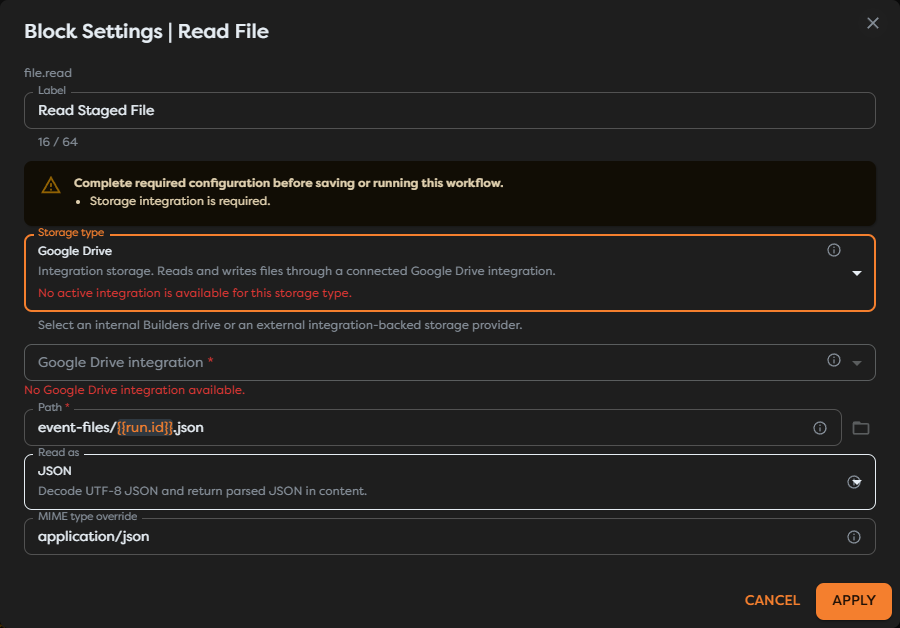
Resolve this state by creating or selecting a compatible integration owned by the same team as the project. Do not paste the personal credential into the block, Code, a template, General Vault, or an exported schema to bypass the ownership boundary.
The same principle applies when selectors are empty for General Vault entries, database connections, Static Drive locations, and AI connections.
Keep Builders and provider access separate
Builders ownership answers whether the workflow may select a resource. The external provider decides what its credential may do.
| Access layer | Example failure |
|---|---|
| Team membership | The user no longer belongs to the owning team |
| Team Builders access | The group exists, but its access to Builders was removed |
| Member role | The member can view the team but cannot perform the requested edit or administrative action |
| Project/resource scope | A team project cannot select a user-owned integration |
| Builders capability | A read-only integration is not available to a write operation |
| Provider authorization | The selected credential lacks access to the mailbox, drive, database, repository, or model |
Check these layers in order. A successful connection test does not make a personal resource visible to a team project, and team ownership does not grant additional provider permissions.
Change a pipeline's scope safely
A pipeline inherits scope from its project. Moving it to another project or changing the project owner can therefore change every reusable resource available to its blocks.
Builders does not copy integrations, Vault values, databases, AI connections, or Static Drive files into the destination scope. Unavailable references can be removed or left as incomplete required configuration.
Before changing scope:
- Inventory every referenced resource and persistent file path.
- Create approved equivalents under the destination owner.
- Record provider callbacks that may change with a replacement integration.
- Move or change ownership only after the destination dependencies are ready.
- Reopen every affected block and select the destination resource.
- Save a draft, run controlled tests, and inspect external effects.
- Publish only after the destination workflow is complete.
- Remove the previous resources after all dependent pipelines have moved.
Do not rely on matching display names. Verify the owner, provider account, database, drive, model project, and environment of each replacement.
Troubleshoot resource visibility
- A team is absent from an owner selector: verify membership, the team role, and whether the team has Builders access.
- A personal resource is missing from a team block: create a compatible resource owned by that team and reconnect the block.
- A team resource is missing from a personal project: use a personal equivalent or move the project through a supported ownership process.
- A resource with matching ownership is still absent: check its connector type, read/write capability, MCP eligibility, and active status.
- A project move left a required field empty: select an approved destination resource, apply the block settings, save, and test the draft.
- Static Drive reports a missing file: confirm the selected drive scope and recreate or copy the file at the destination path.
- The resource is selectable but execution is denied: inspect the external provider permissions, credential status, network access, and operation arguments.