
Switch
The Switch block routes one resolved value among ordered, named cases using exact equality. The first matching case selects its output; if no case matches, the default output is selected.
Use Switch for direct dispatch by a known value such as session track, event type, region, status, or provider.
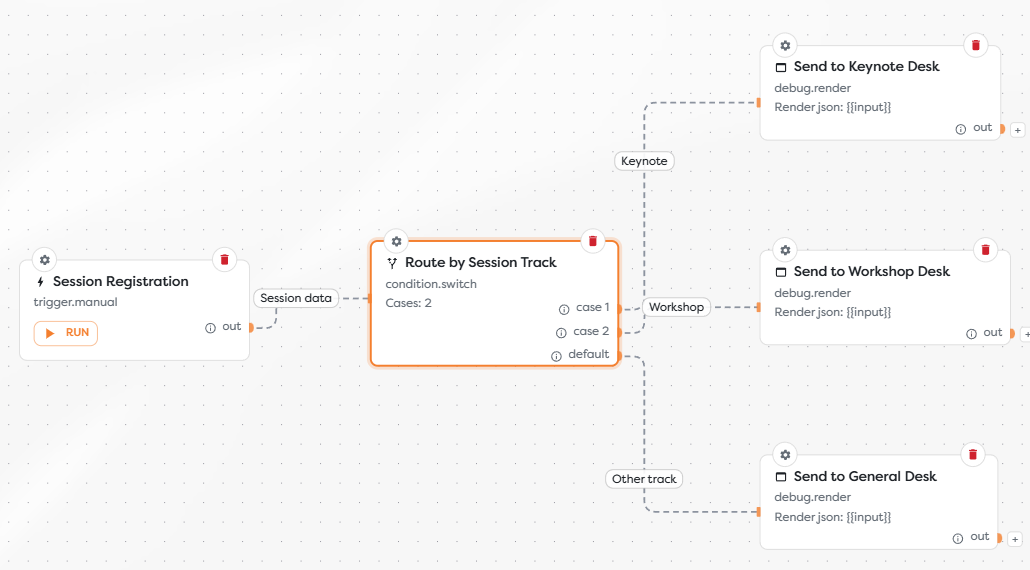
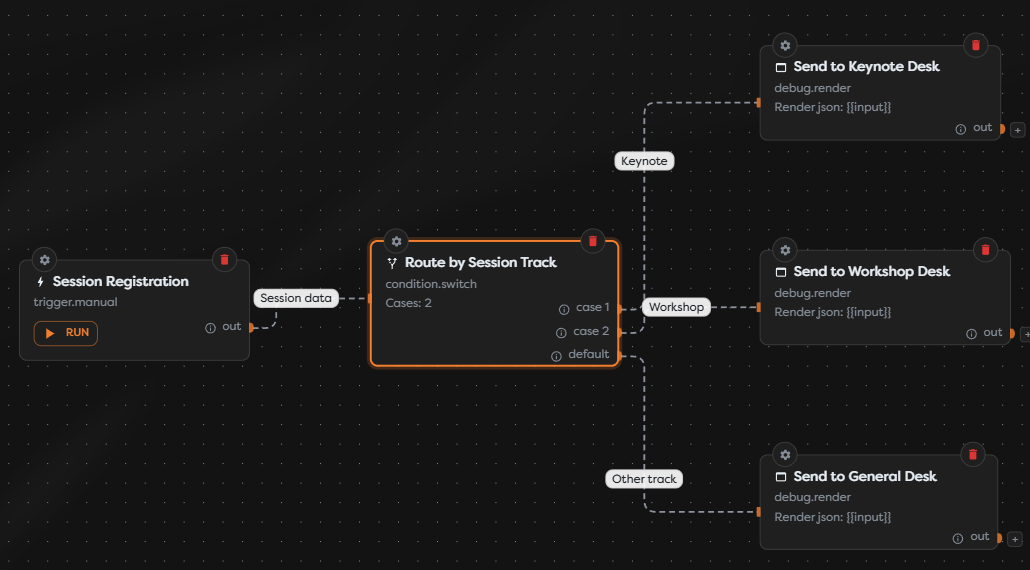
Configure switch cases
Add Switch from the Condition category and open its settings.
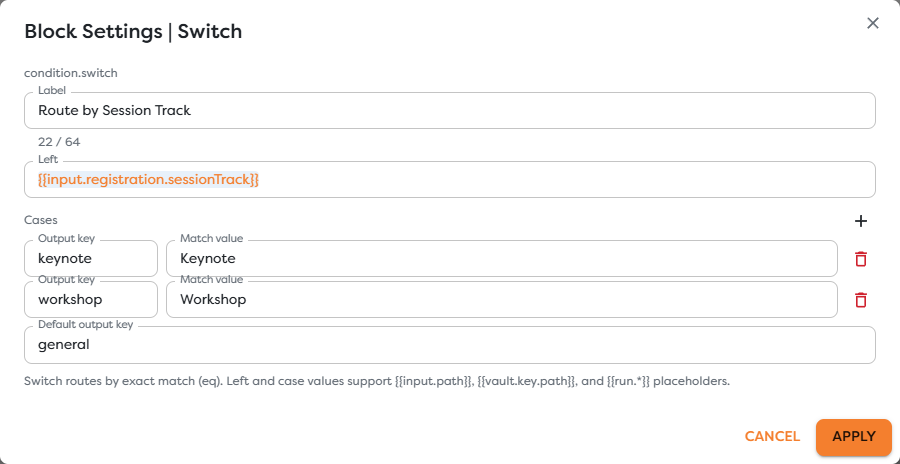
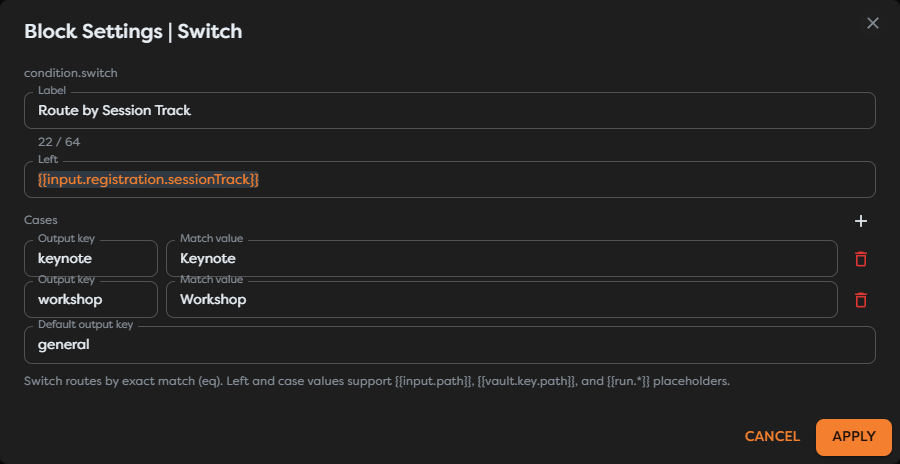
Complete these settings:
| Setting | Purpose | Example |
|---|---|---|
| Left | The runtime value to route. | {{input.registration.sessionTrack}} |
| Output key | The stable name of a case output. | keynote |
| Match value | The exact value for that case. | Keynote |
| Label | A readable description of the case. | Keynote |
| Default output key | The output selected when no case matches. | general |
Case values and output keys should be unique. Cases are checked in order and evaluation stops after the first exact match.
Match exact values
Switch uses equality for every case. Treat capitalization and value types deliberately: Workshop, workshop, and a differently typed value should not be assumed to match. Normalize inconsistent source data with a Transform block before the Switch.
Both Left and case values can use template expressions. This allows a runtime value to be compared with configuration stored in General Vault, although literal case values are often easier to scan for stable categories.
Define the fallback
Always connect the default output when an unknown or missing value can reach the workflow. In the session example, Keynote and Workshop have dedicated paths, while every other track goes to general.
A default route can send the item to a general handler, record an unsupported value, or stop before an external side effect. It should not silently discard data that operators need to investigate.
Inspect the output
The selected path receives the original data under input, routing details under switch, and the selected output key under __route:
{
"input": {
"registration": {
"sessionTrack": "Workshop"
}
},
"switch": {
"left": "Workshop",
"matchedCase": "workshop",
"defaultCase": "general"
},
"__route": "workshop"
}
When no case matches, __route contains the configured default key.
Test every case
- Run one input for every configured case.
- Confirm that
__routecontains the expected output key. - Run an unknown value and confirm the default output.
- Test capitalization, missing values, and unexpected value types that the source can produce.
- Verify that only the selected downstream path performs work.
Troubleshoot Switch
- A known value selects default: compare the resolved left value with the case value, including capitalization and type.
- Two cases appear equivalent: keep case values and output keys unique, then remove the duplicate.
- A new category stops downstream work: connect the default output to a deliberate fallback.
- A case needs a range or containment check: replace Switch with If / Else and choose the appropriate operator.
- Several outputs are joined with Wait for all: remove that join because Switch selects only one output per execution.