Public Workflows
Public workflows expose a published Builders pipeline to callers outside the Designer. Builders can host an HTTP endpoint, a browser form, or a chat experience. Each accepted request, submission, or message starts a workflow run under the published pipeline's owner scope.
Choose the public surface
| Surface | Primary caller | Input | Response model | Typical use |
|---|---|---|---|---|
| HTTP Endpoint | Application, webhook sender, command-line client, or backend | JSON or multipart request | Immediate Sync response or background Async acceptance | APIs, webhooks, commands, and machine-to-machine integration |
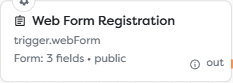
| Web Form | Person using a browser | Configured fields and optional uploads | Hosted confirmation page; downstream work continues in the run | Registration, intake, feedback, and controlled data collection |
| Chat | Visitor using a hosted or embedded conversation | One message per turn plus session metadata | Workflow-produced assistant message | Support, event guidance, product help, and conversational workflows |
Choose the surface from the caller's actual contract. Do not expose an Endpoint merely to reproduce a form that Builders can host, and do not use Chat for a deterministic API request that should have a stable machine-readable response.
Understand the publication boundary
A public surface is tied to the published pipeline version:
draft configuration
-> save and test
-> publish one version
-> Builders-hosted public address becomes live
-> accepted traffic creates published runs
-> logs, alerts, usage, and external effects must be monitored
Saving a draft does not update the live endpoint, form, or chat. Publishing makes that version read-only. Later changes require another draft and a deliberate publication.
Treat public configuration as a contract. Changes to an endpoint path, method, schema, form key, field key, authorization mode, response path, upload field, or chat embed URL can break existing callers even when the workflow diagram remains valid.
Design the workflow around the trigger
Every public workflow needs an explicit input, processing, and completion design:
- Select one public trigger and configure its address or hosted surface.
- Authenticate or deliberately accept public traffic.
- Reject invalid input before expensive or irreversible blocks.
- Normalize the accepted data into one internal shape.
- Perform database, file, AI, integration, or notification work.
- Return the correct synchronous result, form confirmation, or chat response.
- Record enough correlation data to connect the public request with its Builders run.
Endpoint and Chat triggers can receive a returning Response connection. Their normal Out connection starts processing; the returning connection selects the final value delivered to the caller. A Web Form instead shows its configured after-submit message once Builders accepts the submission. That message is not proof that every downstream block succeeded.
Protect owner budget and resources
Public traffic consumes the project owner's workflow compute tokens. AI blocks can also consume AI tokens or provider-side credit. Uploaded files can consume Static Drive capacity, and concurrent requests can use the owner's run slots.
Before publishing:
- select the intended personal or team project owner;
- verify compute, AI, storage, and concurrent-run capacity;
- configure authentication appropriate to the caller;
- set endpoint-wide, per-client, or global rate limits where the trigger provides them;
- make external writes idempotent;
- reject invalid input before AI, database, email, or integration calls;
- define retention for request content, chat messages, and uploaded files;
- create alerts and an operational owner for the public contract.
Public access is a deliberate security decision, not a temporary testing shortcut. Anyone who can reach an unauthenticated URL can create accepted traffic until another control rejects it.
Test the live contract
Designer tests verify the draft workflow. Preview verifies the appearance of a form or chat. Neither replaces a test against the published URL.
For every public workflow, run this minimum matrix after publication:
| Test | Expected evidence |
|---|---|
| Valid authorized request | Expected public response, one published run, and correct downstream effect |
| Missing or invalid credentials | Rejection without a workflow run or protected effect |
| Invalid field or body | Validation error before downstream side effects |
| Duplicate request | Idempotent result or explicit duplicate handling |
| Rate-limit breach | Controlled rejection and no unexpected expensive work |
| Downstream failure | Safe caller response plus an actionable run error or alert |
| Maximum supported upload | Accepted file descriptor, correct storage scope, and verified cleanup path |
Use non-sensitive test data. Do not place live access tokens, passwords, personal data, or customer files in screenshots, command history, documentation, or public embed markup.
Documentation map
- Host an HTTP Endpoint covers methods, paths, validation, Sync and Async responses, publishing, and API testing.
- Publish a Web Form covers form structure, browser validation, styling, publication, submissions, and completion behavior.
- Publish and Embed a Chat covers the response loop, hosted chat, widget and inline embedding, origins, and runtime operation.
- Authentication for Public Workflows compares Endpoint protection with Public, Basic, Token, and Bearer verification for forms and chats.
- Upload and Return Files covers multipart intake, file descriptors, storage, outbound attachments, and binary responses.