
Write Prompts and Tune Generation
The AI Agent sends a template-enabled user prompt to the selected model. Keep the prompt focused on one task, render only the required workflow data, and use generation overrides only when the source defaults do not fit that task.
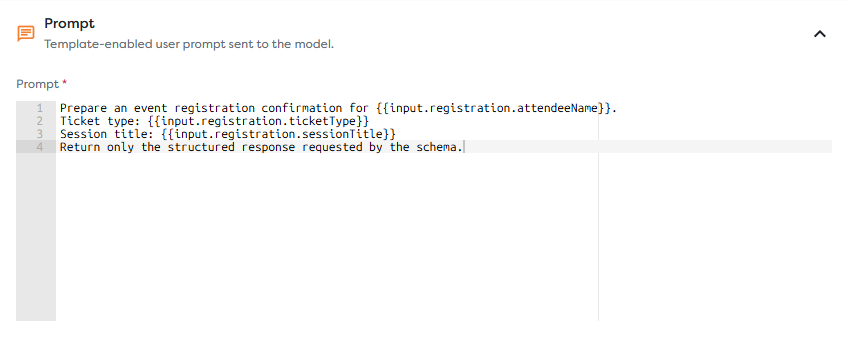
Build the user prompt from runtime data
Prompt fields support the same template namespaces used elsewhere in the Designer:
| Template | Purpose |
|---|---|
{{input.path}} | Read data received from the upstream block |
{{field}} | Read a compatible top-level input field |
{{vault.key.path}} | Read a permitted General Vault value |
{{run.*}} | Read stable metadata for the current run |
For example:
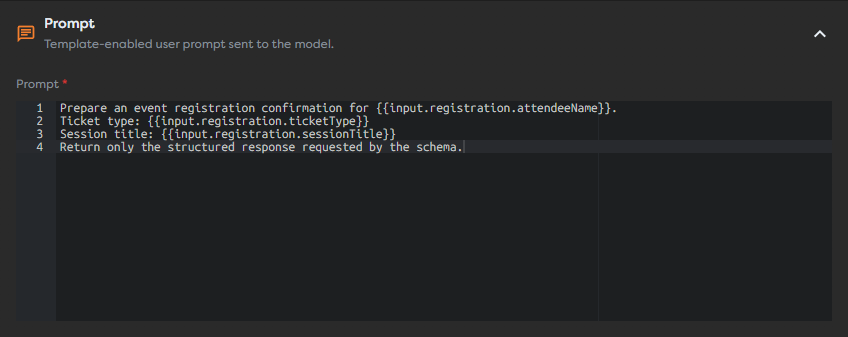
Prepare an event registration confirmation for {{input.registration.attendeeName}}.
Ticket type: {{input.registration.ticketType}}
Session title: {{input.registration.sessionTitle}}
Return only the structured response requested by the schema.
Use explicit field references instead of inserting {{input}} when the model needs only a small part of the payload. This reduces irrelevant context and makes it easier to see which data crosses the model boundary.
Separate system and user instructions
The Prompt panel contains the runtime user request. Put the task, relevant values, and requested response behavior there.
The System prompt override in Model sets persistent behavior for this block, for example:
You write concise event communications. Do not invent attendee or session details.
The override is used only while Override default values is enabled. If it is disabled, the selected source's system prompt and generation defaults remain active.
Do not repeat the same rules in both prompts without a reason. Keep stable behavior in the system prompt and runtime facts in the user prompt.
Tune generation controls
| Control | Effect | Practical guidance |
|---|---|---|
| Temperature | Adjusts variation in model generation | Use a lower value for extraction, classification, and predictable business text; raise it only when variation is useful |
| Max tokens | Limits the model's generated output | Set enough room for the required answer, not the entire input or context window |
| Timeout (ms) | Limits how long Builders waits for the provider | Keep the default unless the model or tool workload needs longer; the maximum is 900000 ms (15 minutes) |
The Model panel accepts temperature values from 0 to 2. Provider behavior can differ, so compare real outputs after changing the model or source. Leaving an override blank keeps the source default.
A high timeout does not increase the model's output limit. It keeps an AI execution slot occupied while Builders waits for the provider, so connect the Error path and avoid increasing it without observed timeout failures.
Define a clear prompt contract
A dependable prompt states:
- the task to perform;
- the input fields the model should use;
- constraints, such as not inventing missing facts;
- the expected response format;
- what to do when required input is absent.
Do not ask the model to infer values that a deterministic workflow block can calculate. Validate required input before the AI Agent when missing values should stop the workflow.
Protect sensitive data
- Do not paste provider credentials or integration secrets into a prompt.
- Reference a Vault value only when the model genuinely needs its rendered value.
- Avoid sending the full input object when it contains unrelated personal or confidential data.
- Remember that rendered prompts and provider errors can appear in run inspection and logs.
- Review the selected provider's data handling before sending regulated or customer data.
Test prompt changes
Run several representative inputs, including missing and unusually long values. Inspect the rendered request, response, token usage, duration, and error path. When later blocks require named fields, use structured output instead of parsing prose.