
Cron Trigger
Use a Cron Trigger to start a workflow automatically on a recurring schedule. Configure a five-field cron expression and an IANA time zone, then publish the workflow version that should own the live schedule.
This article uses the Documentation - Cron Trigger pipeline in the Hack It UP - event project. It opens event check-in at 08:00 on weekdays in New York and passes a small schedule payload to a Render Block.
Configure the schedule
Drag Cron Trigger from the Triggers section of the Designer block catalog onto the canvas. Open its settings and configure:
- Label: an action-oriented name such as
Open Event Check-in; - Cron expression: the five-field schedule;
- Timezone: the IANA time zone in which Builders evaluates the expression;
- Initial body (JSON): the value emitted to the connected path when the schedule fires.
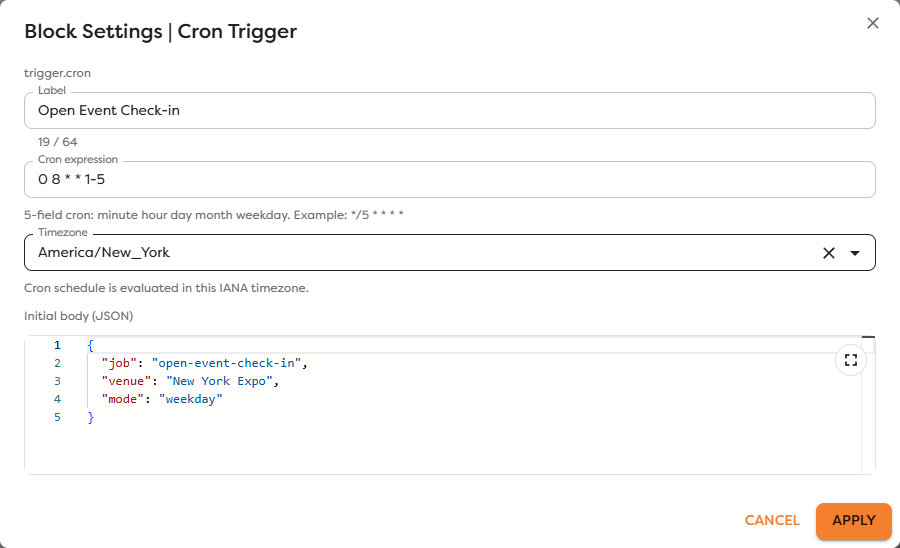
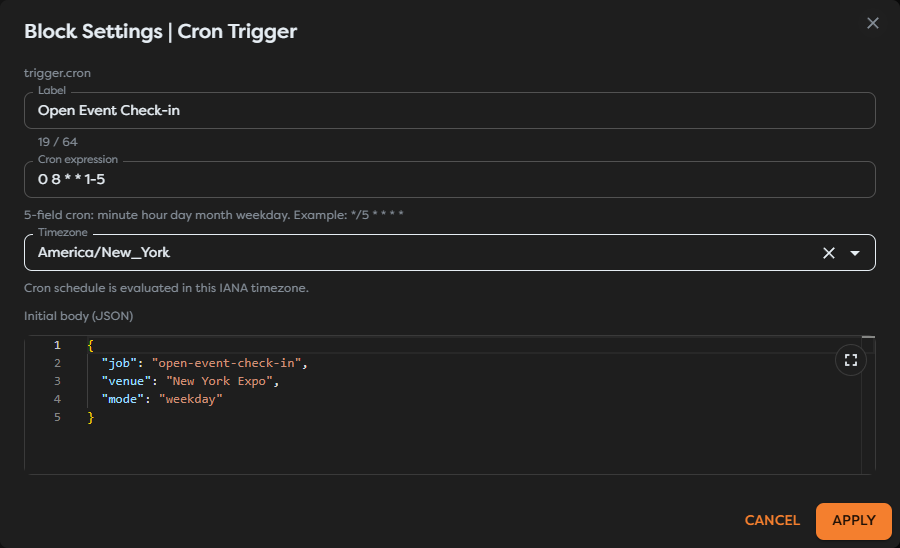
The example uses:
0 8 * * 1-5
Read the five fields from left to right:
| Position | Field | Common numeric range | Example value |
|---|---|---|---|
| 1 | Minute | 0-59 | 0 |
| 2 | Hour | 0-23 | 8 |
| 3 | Day of month | 1-31 | * |
| 4 | Month | 1-12 | * |
| 5 | Day of week | 0-7 | 1-5 |
Here, 0 8 * * 1-5 means minute 0 of hour 8, on any day of the month, in any month, from Monday through Friday. The resulting local time is determined by the selected time zone.
Common cron operators include:
| Operator | Meaning | Example |
|---|---|---|
* | Every allowed value | * * * * * matches every minute. |
, | A list of values | 0 8,12,16 * * * matches 08:00, 12:00, and 16:00. |
- | An inclusive range | 0 8 * * 1-5 matches weekdays at 08:00. |
/ | A step through the selected range | */15 * * * * matches every 15th minute within each hour. |
A step is evaluated inside its field rather than as an elapsed-duration timer. For example, */35 in the minute field matches minute 0 and minute 35 of each hour; it does not create a run every 35 elapsed minutes.
Select Apply, then save the workflow version. Applying changes the draft configuration but does not activate the schedule.
Choose an IANA time zone
Select a city-based IANA identifier such as America/New_York, Europe/Warsaw, or Asia/Tokyo. This lets the schedule follow the time-zone rules associated with that location instead of relying on a fixed UTC offset.
Use the zone that matches the business meaning of the schedule:
- use
America/New_Yorkwhen check-in should open at 08:00 New York local time throughout the year; - use
UTCwhen the run must remain anchored to the same UTC time and must not shift with local daylight-saving rules; - avoid choosing a nearby city merely because its current offset looks correct.
Time-zone rules can change. Use a supported IANA identifier and review critical schedules when local authorities change daylight-saving or offset rules.
Define the scheduled input
The initial body must be valid JSON. Builders emits the parsed value through the Cron Trigger's Out port whenever a scheduled occurrence creates a run.
The example body is:
{
"job": "open-event-check-in",
"venue": "New York Expo",
"mode": "weekday"
}
The first connected block receives this value as input. It can reference {{input.job}}, {{input.venue}}, and {{input.mode}}, or render {{input}} while the workflow is being developed.
Keep credentials and secrets out of the initial body. Store them in a supported integration or General Vault, and reference them only where the downstream action needs them.
Connect and inspect the scheduled path
Connect the Cron Trigger's Out port to the first block that should run on every occurrence. Label important edges so the schedule's purpose remains understandable when the workflow grows.
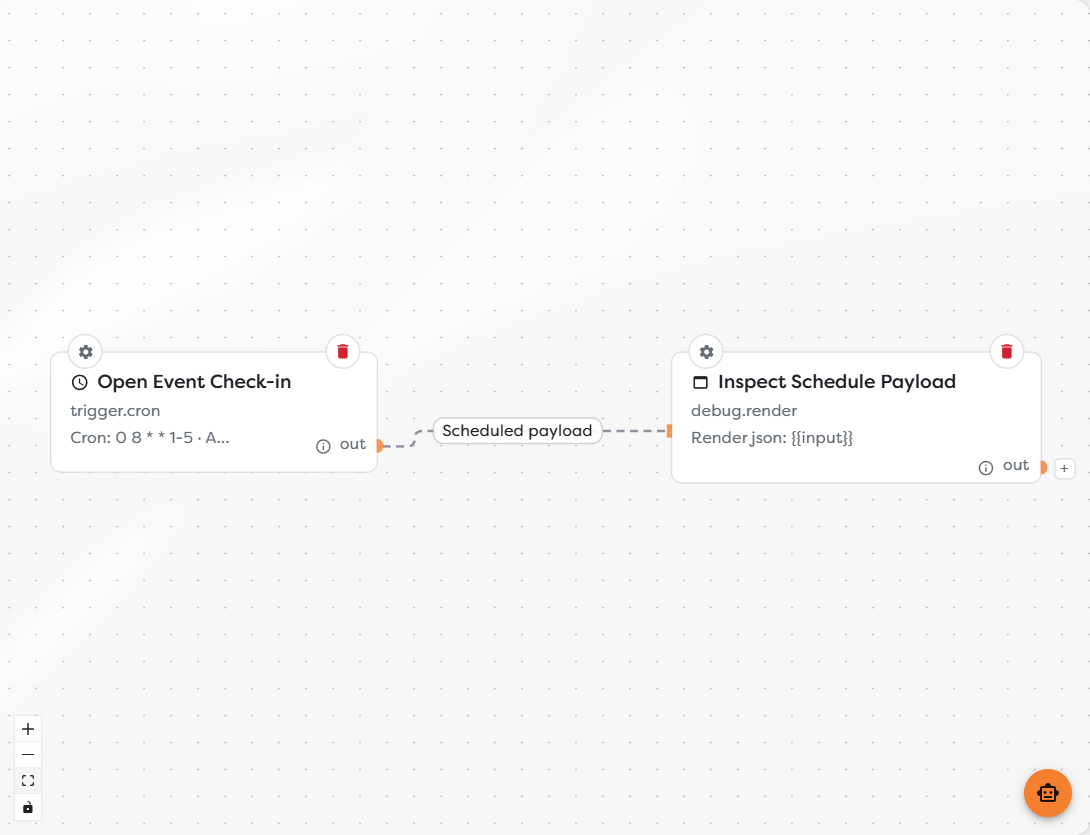
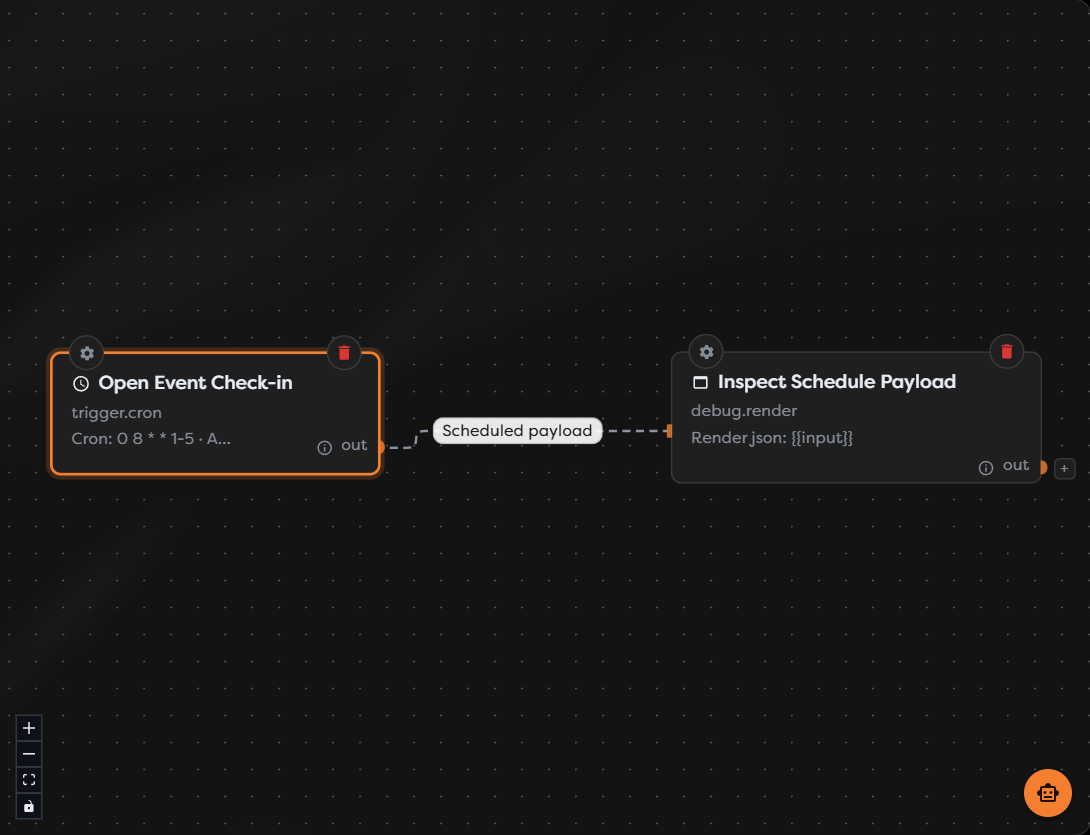
The node summary provides a quick visual reminder of the expression and time zone, but the settings dialog remains the complete source for the schedule. Open the settings when the summary is truncated or when reviewing a production change.
Cron Trigger does not expose the same immediate Run action as Manual Trigger. To verify downstream behavior before publishing:
- Save the draft.
- Test individual downstream blocks with controlled values where supported.
- For a complete immediate path test, temporarily use a Manual Trigger with an equivalent safe body in a draft or disposable pipeline.
- Remove the temporary trigger and save again before publishing the Cron workflow.
An immediate manual test verifies the connected path and payload shape. It does not verify the cron expression, time zone, or live scheduler.
Publish to activate the schedule
A saved Cron Trigger remains a draft until its workflow version is published.
- Apply the Cron Trigger settings.
- Save the workflow version.
- Review the expression, IANA time zone, initial body, and connected path.
- Select Set public for the intended version.
- Confirm that the version is marked Published and the Designer reports that the public version is read-only.
- After the next expected occurrence, find the run in Runs and inspect its trigger output and downstream executions.
The published version owns the active schedule. Later draft edits do not change live scheduling until that newer version is saved and published. Unpublishing prevents new scheduled starts; it does not cancel a run that has already started.
Account for daylight-saving changes
Builders evaluates the cron expression in the selected IANA time zone. During a daylight-saving transition, a local wall-clock time can be nonexistent when clocks move forward or occur twice when clocks move backward.
Do not design a critical side effect around an assumption that every local clock label occurs exactly once. Instead:
- schedule critical daily work outside the local transition window when possible;
- use
UTCwhen a stable UTC time is more important than a stable local time; - make downstream effects idempotent so a repeated occurrence cannot create duplicate records, messages, or charges;
- store a durable business key or logical schedule date and check it before performing the effect;
- verify run history around time changes for business-critical pipelines.
The selected IANA zone determines the applicable rules. A fixed offset written in documentation or remembered from the current season is not a replacement for the zone configuration.
Set expectations for missed runs
Treat Cron Trigger as a source of future scheduled occurrences, not as an automatic backlog processor. Do not assume that publishing, republishing, or restoring access will create runs for every occurrence that passed while the workflow was unpublished or unavailable.
If the business process requires catch-up behavior:
- Store the last successfully processed business timestamp in durable storage.
- On each run, calculate which periods have not been processed.
- Process those periods idempotently and within an explicit safety limit.
- Update the timestamp only after the required work succeeds.
- Alert when the gap is larger than the workflow can safely recover automatically.
Run history is the record of executions that Builders actually created. Compare it with the expected schedule instead of inferring success from the published state alone.
Operate recurring workflows safely
- Use a label that states the scheduled business action.
- Prefer the least frequent schedule that meets the requirement; every run can consume credits and call external systems.
- Validate required input before expensive or irreversible actions.
- Use idempotency keys for database writes, messages, payments, and API requests.
- Preserve
{{run.id}}and a logical schedule timestamp for correlation. - Monitor failures and long-running executions; the next occurrence may begin even when earlier work has not completed.
- Publish schedule changes deliberately and record the previous expression and time zone when the workflow is operationally important.
- Unpublish obsolete schedules instead of leaving an unused recurring pipeline active.
Troubleshoot Cron Trigger
- No scheduled run appears: verify that the intended version is published, the next occurrence has passed in the selected time zone, and the pipeline can start new runs.
- The run fires at the wrong local time: read all five fields in order and confirm the selected IANA identifier rather than comparing only the current UTC offset.
- The schedule is more frequent than expected: check step expressions, lists, and wildcards in every field. Remember that steps restart within their field.
- Recent changes are ignored: apply the settings, save the draft, and publish that newer version. The existing published version is unchanged by draft edits.
- The payload is missing a field: validate the initial body as JSON and inspect the Cron Trigger execution output before changing downstream expressions.
- A business effect occurs twice: add an idempotency key based on the logical occurrence or business period and inspect run history around retries and daylight-saving transitions.
- A past occurrence did not run: do not rely on automatic backfill. Determine the unprocessed period from durable state and run a controlled recovery path.
- Two occurrences overlap: reduce execution time, decrease schedule frequency, or add a lock that prevents concurrent processing of the same business period.