
Render Block
Use Render Block to turn a workflow value into inspectable text, structured data, markup, an image, or a document. It is commonly used during development to confirm the exact payload received from a trigger or processing step.
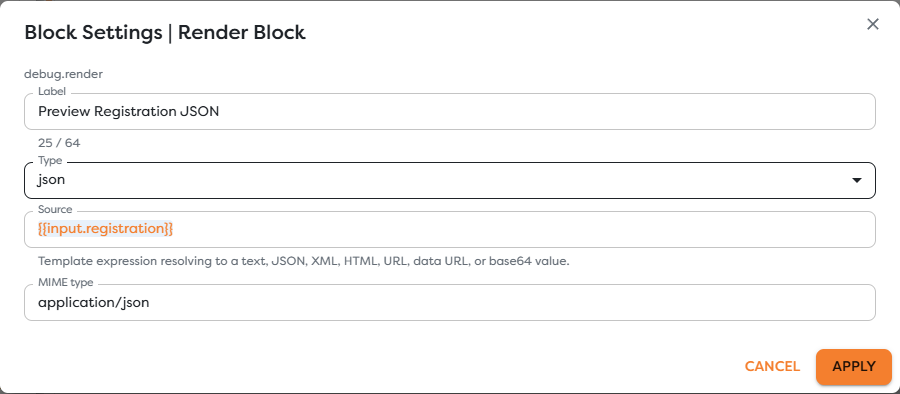
Configure rendered output
Add Render Block from the Debug category and configure:
| Field | Purpose |
|---|---|
| Label | Identifies what the preview represents. |
| Type | Selects text, json, xml, html, image, or pdf. |
| Source | A template expression or value to render, such as {{input.registration}}. |
| MIME type | Describes the content where a precise media type is needed. |
The default type is text and the default source is {{input}}. For JSON, use application/json; for plain text, use text/plain; and for an image or PDF, use the media type that matches the returned bytes or data URL.
Choose the render type
| Type | Expected source | Typical use |
|---|---|---|
text | Text or a value that can be represented as text | Inspect a message, identifier, or generated response. |
json | Object, array, or JSON value | Inspect structured trigger or block output. |
xml | XML text | Inspect an XML request or provider response. |
html | HTML text | Preview generated markup in a controlled environment. |
image | Supported URL, data URL, base64, or binary-compatible value | Inspect generated or downloaded image content. |
pdf | Supported URL, data URL, base64, or binary-compatible value | Inspect a generated or downloaded PDF. |
MIME types follow the standard type/subtype format defined by the IANA Media Types registry.
Render structured input
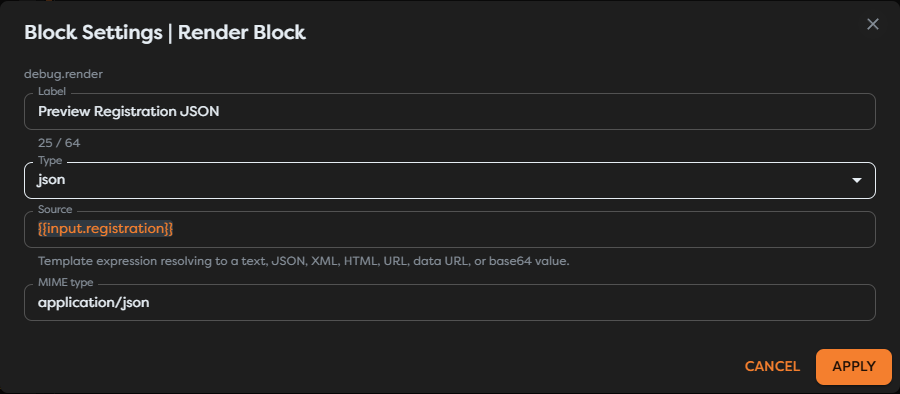
To inspect the registration object received from an upstream block, set:
Type: json
Source: {{input.registration}}
MIME type: application/json
Render the narrowest useful path. {{input}} is helpful when discovering a payload, while {{input.registration}} produces a clearer preview after the contract is known.
Treat rendered content as data
Rendering does not validate business meaning. A valid JSON preview can still contain an invalid email address, an unexpected status, or stale data. Add explicit validation before irreversible operations.
HTML, XML, URLs, and file content can be untrusted. Do not treat a successful preview as proof that content is safe to publish, execute, embed, or send to a browser. Avoid rendering secrets, authorization headers, personal data, or raw provider payloads in environments where other team members can inspect run output.
Test a Render Block
- Connect the source block to Render Block.
- Apply the type, source, and MIME type.
- Save the workflow version.
- Run the relevant trigger path.
- Select the Render execution and compare its preview with the upstream output.
When an expression resolves to the wrong shape, first render {{input}}, identify the exact nested path, then narrow the expression again.
Troubleshoot rendering
- The preview is empty: inspect the complete input and correct the source expression path.
- JSON cannot be rendered: confirm that the resolved value is valid structured data rather than JSON-looking text with syntax errors.
- An image or PDF is blank: verify the MIME type and whether the source is a reachable URL, valid data URL, supported base64 value, or runtime byte value.
- HTML looks different from the source: inspect the exact generated markup and its content dependencies.
- The preview exposes sensitive data: remove or narrow the Render Block and use redacted logs for production diagnostics.