
Sleep
Use Sleep to pause one workflow path for a fixed number of milliseconds. It is useful for short propagation delays, deliberate pacing, and controlled test scenarios. It is not a scheduler and does not wait for an external condition to become true.
This article uses the Documentation - Sleep example, where a confirmed registration waits 2.5 seconds before its data is inspected.
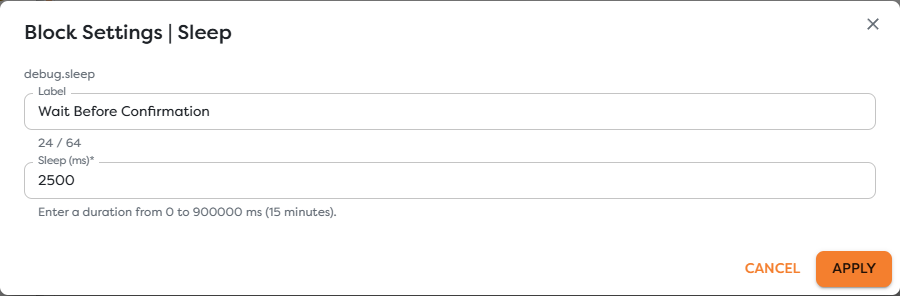
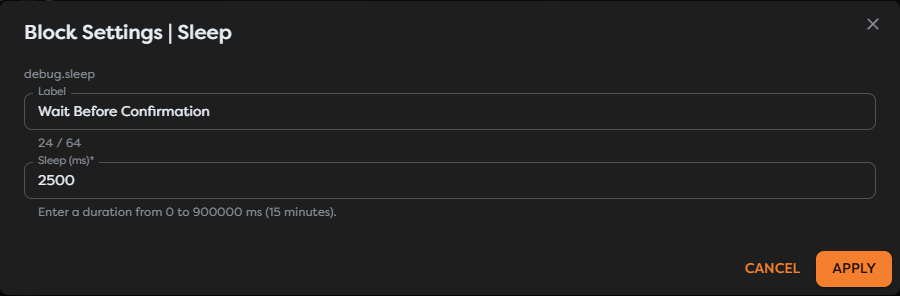
Configure the delay
Add Sleep from the Debug catalog category and set:
| Field | Requirement |
|---|---|
| Label | Use a purpose-specific name such as Wait Before Confirmation. |
| Sleep (ms) | Enter an integer from 0 through 900000, equivalent to at most 15 minutes. |
The default is 1000 ms. Applying the settings changes the draft; save the workflow version before testing it.


Understand runtime behavior
Sleep starts only when its input path is reached. While it is waiting, that path remains active and the next block does not start. After the configured duration elapses, the path continues with the upstream context available downstream.
The duration is a minimum runtime pause, not a real-time execution guarantee. Queueing, worker availability, and normal runtime overhead can make the observed interval longer.
Other paths in the same workflow can continue independently. Sleep does not pause the entire pipeline, another run, or another branch unless those paths depend on its output.
Choose Sleep or another mechanism
| Requirement | Use |
|---|---|
| Pause a reached path for a short fixed duration | Sleep |
| Start a workflow on a recurring schedule | Cron Trigger |
| Wait until several known branches finish | Wait for all |
| Retry an HTTP call after failures | Web Request retry settings |
| Wait for an external business event | A new trigger, callback, queue, or state-aware design |
Do not build long business waits as chains of Sleep blocks. A run that remains active for an arbitrary external event is harder to operate and can consume runtime capacity without proving that the event will arrive.
Test the delay
- Connect a harmless Manual Trigger to Sleep.
- Connect Sleep to a Render Block using
{{input}}. - Save the version.
- Start the manual path and note the Sleep start and finish times.
- Confirm that the rendered data still contains the expected registration fields.
Use a short delay in tests. A successful test should verify ordering and preserved context, not spend 15 minutes proving the numeric upper bound.
Design reliable pauses
- Label the business reason for waiting, not only the duration.
- Keep the duration as short as the external behavior allows.
- Make the next side effect idempotent in case a run is retried.
- Preserve a correlation ID before the pause so later logs can be matched.
- Do not use Sleep to rate-limit many concurrent runs globally; each run owns its own pause.
Troubleshoot Sleep
- The value cannot be applied: enter a whole number between
0and900000. - The pause appears longer: include queueing and runtime overhead when comparing timestamps.
- Another branch continues: Sleep blocks only the path that reaches it.
- Data appears missing later: inspect the Sleep execution and the first downstream input before changing expressions.
- A long wait is unreliable: replace it with an event-driven trigger or persistent state boundary.