
Choose a Model Source and Control Usage
The Model panel determines which credentials, provider, and model execute an AI Agent. It also shows the defaults attached to the selected source and lets the block override supported generation values.
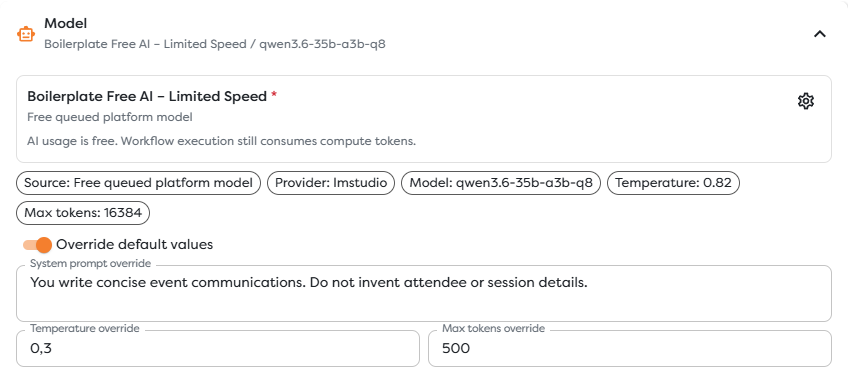
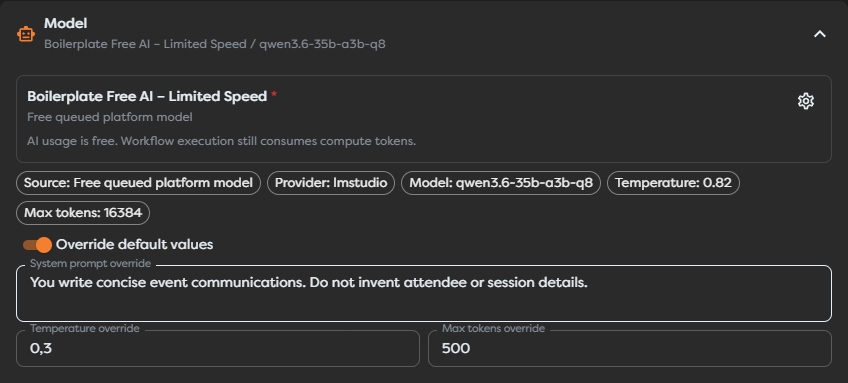
Compare the source classes
Open Model, then use the settings icon on the source card to choose an available source.
| Source | Credentials | AI usage | Runtime characteristics |
|---|---|---|---|
| Boilerplate Free AI - Limited Speed | Managed by Builders | AI usage is free; workflow compute tokens still apply | Globally queued and intended for interactive runs |
| Boilerplate Pro AI - Full Speed | Managed by Builders | Uses the billing owner's available AI-token balance; workflow compute tokens still apply | Platform premium source for eligible accounts |
| Private AI agent | Stored in an AI-agent configuration owned by the current user | Charged according to the connected provider account; workflow compute tokens still apply | Uses the provider, model, credentials, and defaults selected by its owner |
| Team AI agent | Stored in an AI-agent configuration shared by the team | Charged according to the connected provider account; workflow compute tokens still apply | Lets eligible team projects use centrally managed provider settings |
The source dialog shows only agents available to the current project and user. A private agent is not automatically available to a team-owned project, and a team agent requires access to the relevant team.
Treat source details as live configuration
The selected source card reports values such as:
- source class;
- provider;
- model;
- temperature;
- maximum output tokens;
- usage or queue behavior.
Read that card when configuring or reviewing a workflow. Model names, source availability, context limits, defaults, and account balances can change. Do not design a production dependency around a model name copied from an older screenshot.
Choose a source by workload
Use Boilerplate Free AI for interactive development and non-urgent tests that tolerate a global queue. Its source card explicitly limits it to interactive runs, so select a production-capable source before relying on the workflow outside the Designer.
Use Boilerplate Pro AI when the account is eligible, has the required AI-token balance, and the workflow should use the platform-managed premium source.
Use a private AI agent when one user owns the provider credentials and the workflow ownership model allows that dependency. Use a team AI agent when credentials and model policy should be managed for shared team workflows.
Understand the two usage layers
AI Agent has two separate usage layers:
| Layer | What it covers |
|---|---|
| Workflow compute tokens | Execution of the AI block as part of the Builders workflow |
| AI or provider usage | The model request itself, charged according to the selected source |
The free source removes Builders AI-token usage for the model call, but it does not make the workflow block free. The Pro source uses the billing owner's AI-token balance. A private or team agent uses its configured provider credentials, so any provider-side charges and limits belong to that provider account.
Override source defaults only when needed
Enable Override default values to set a block-specific system prompt, temperature, or maximum output tokens. Otherwise, the source's configured defaults apply.
Overrides travel with the block configuration. Review them after changing the source because a value suitable for one model may be inefficient or unsupported for another.
Check before publishing
- Confirm the source is available in the project's ownership scope.
- Confirm the source is suitable for published rather than interactive-only runs.
- Check the displayed provider, model, context limit, and defaults.
- Confirm the required AI-token balance or provider billing account.
- Run representative input and inspect both compute usage and provider errors.
- Connect the AI Agent's
Errorport before publishing.