
Code
Use Code to run custom JavaScript or TypeScript when a workflow needs logic that is clearer or only possible in code. A Code block receives the current workflow input, exposes approved Builders Runtime APIs through ctx, and must return a serializable result.
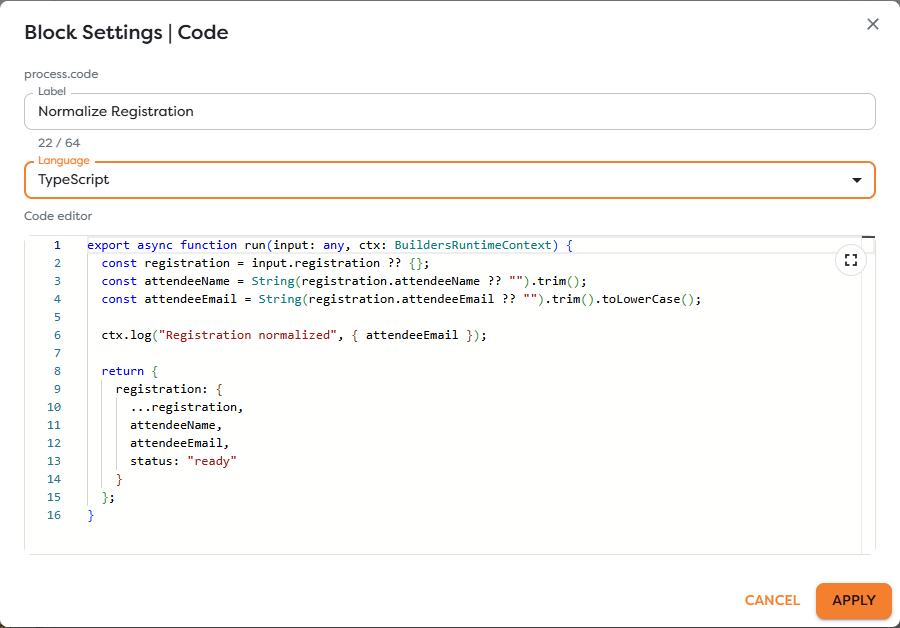
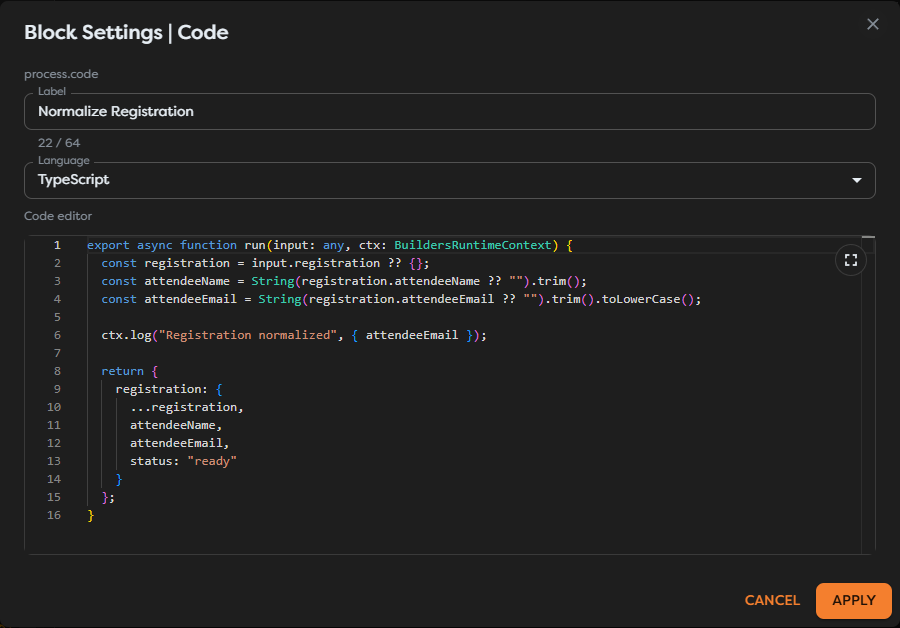
Choose the language
Add Code from the Process category and select TypeScript or JavaScript. TypeScript provides type syntax and editor assistance; JavaScript is useful for smaller scripts that do not need annotations.
The block entry point is an exported asynchronous run function:
export async function run(input: any, ctx: BuildersRuntimeContext) {
return {
received: input
};
}
The editor expects the complete function, not a loose expression. Keep the function focused on one block responsibility.
Normalize registration data
The documentation example trims attendee names, lowercases email addresses, and returns a stable result:
export async function run(input: any, ctx: BuildersRuntimeContext) {
const registration = input.registration ?? {};
const attendeeName = String(registration.attendeeName ?? "").trim();
const attendeeEmail = String(registration.attendeeEmail ?? "")
.trim()
.toLowerCase();
ctx.log("Registration normalized", { attendeeEmail });
return {
registration: {
...registration,
attendeeName,
attendeeEmail,
status: "ready"
}
};
}
Do not log passwords, tokens, authorization headers, Vault values, or unnecessary personal data. Even a successful test log can remain visible to project collaborators.
Understand input and output
input is the payload delivered by the upstream connection. The Code return value is added to the block result while the incoming value remains available under input:
{
"input": {
"registration": {
"attendeeName": " Ada Lovelace ",
"attendeeEmail": "ADA@EXAMPLE.COM"
}
},
"registration": {
"attendeeName": "Ada Lovelace",
"attendeeEmail": "ada@example.com",
"status": "ready"
}
}
Return JSON-compatible objects, arrays, strings, finite numbers, booleans, or null. Use the documented tagged ByteArray representation when returning binary content. Do not return functions, class instances, cyclic objects, NaN, or infinite numbers.
Use the Builders Runtime API
This block guide explains workflow behavior; it does not duplicate Runtime API signatures. Use the dedicated API reference for parameters, return values, limits, and error contracts:
| Runtime surface | API documentation |
|---|---|
BuildersRuntimeContext and execution metadata | BuildersRuntimeContext |
ctx.log and structured runtime messages | ctx.log |
ctx.fetch and outbound HTTP access | ctx.fetch |
ctx.fs() and runtime file access | ctx.fs |
ctx.db and database access from code | ctx.db |
ctx.vault and protected value access | ctx.vault |
Canonical File, tagged ByteArray, and curated Buffer | Builders Runtime value types |
The API documentation is maintained in the separate API Reference section. Treat its published contract as authoritative when it differs from an old workflow example or editor suggestion.
Use the purpose-built Web Request, DB Query, and file blocks when they express the operation directly. Runtime APIs are appropriate when the call must be part of custom logic, but they also make retry, validation, and security responsibilities part of the script.
Know the sandbox boundary
Code runs in a restricted ES2020-compatible environment. The runtime provides approved APIs rather than an unrestricted Node.js or browser process.
require, dynamic imports, arbitrary Node.js modules, andprocessare unavailable.- Browser DOM APIs such as
windowanddocumentare unavailable. - Network, file, database, and Vault access must use supported runtime APIs.
- A curated
Buffersurface can be available for supported binary operations; consult the Binary Data API reference. - Execution time, response size, and resource limits are enforced by the runtime contract.
Do not paste server-side packages or browser snippets into the editor and assume they will run unchanged. The MDN JavaScript Guide and TypeScript Handbook cover language behavior; Builders-specific capabilities belong to the Runtime API reference above.
Handle errors deliberately
Validate required values near the beginning of run and throw an error with a safe, actionable message when the contract is not met:
if (!input.registration?.attendeeEmail) {
throw new Error("registration.attendeeEmail is required");
}
Do not catch every error only to return { ok: false }. That can make the block look successful and allow downstream side effects to continue. Catch an error when the workflow has a defined recovery value or when adding safe context before rethrowing it.
Test Code safely
- Use representative non-sensitive input.
- Save the version before running it.
- Inspect structured logs and the complete Code result.
- Render the returned object in the next block.
- Test missing values, unexpected types, and runtime API failures.
- Confirm that retries cannot duplicate external writes.
Troubleshoot Code
- The editor reports a syntax error: verify the selected language and the complete exported
runfunction. - A global or module is undefined: use only the sandbox and Runtime APIs documented for Code blocks.
- The result cannot be serialized: return finite JSON values or a documented tagged ByteArray.
- The next block cannot find a field: inspect the full Code output and account for the preserved
inputwrapper. - A runtime call fails: follow the linked API reference for its arguments, permissions, limits, and error shape.
- A test repeats an external effect: use idempotency and controlled resources before retrying the run.
- Logs reveal a secret: remove the log, rotate the exposed credential, and review visible run history.