
DB Query
Use DB Query to execute a query or command against a database connection configured for the current project. The block supports PostgreSQL, MySQL, and MongoDB and exposes structured result metadata to downstream blocks.
Configure database access first
DB Query is available only when the project can access a configured database in its personal or team ownership scope.
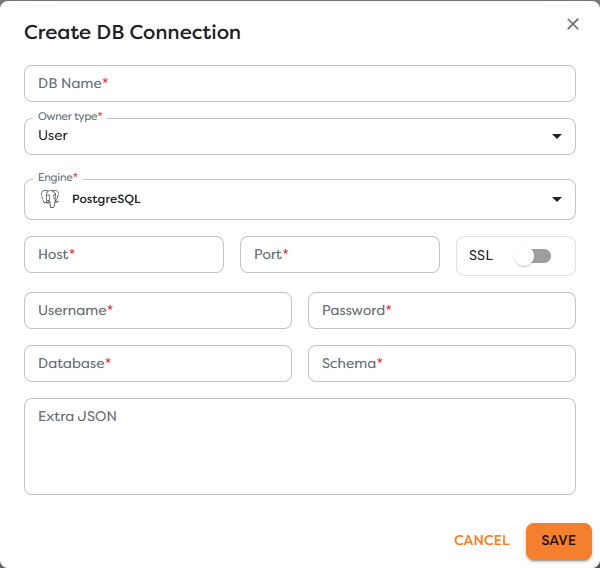
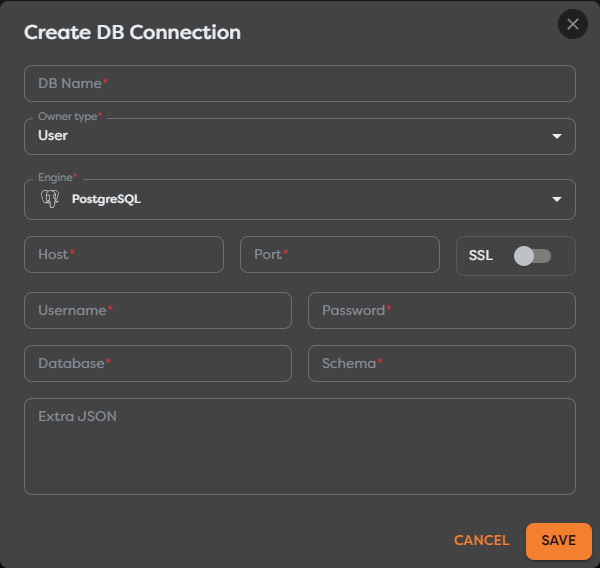
Before adding the block:
- Open Databases.
- Create or select the required PostgreSQL, MySQL, or MongoDB connection.
- Verify its host, credentials, TLS requirements, and network access.
- Confirm that the database belongs to the same ownership scope as the project.
- Grant the database user only the privileges required by the workflow.
Do not place connection strings or passwords in SQL, templates, labels, screenshots, or Code blocks.
Configure a relational query
For PostgreSQL or MySQL, select the connection and provide SQL plus a JSON array of parameters.
PostgreSQL uses positional placeholders such as $1:
SELECT id, attendee_name, attendee_email, status
FROM event_registrations
WHERE attendee_email = $1
LIMIT 1;
[
"{{input.registration.attendeeEmail}}"
]
MySQL uses ? placeholders:
SELECT id, attendee_name, attendee_email, status
FROM event_registrations
WHERE attendee_email = ?
LIMIT 1;
Use parameters for runtime values. Do not concatenate email addresses, IDs, names, sort fragments, or other untrusted input into SQL. Review the official PostgreSQL parameter execution reference and MySQL prepared statement documentation for engine behavior.
Parameters protect values, not SQL structure. Choose table names, column names, operators, and ordering from trusted fixed code paths rather than accepting them directly from a trigger.
Configure a MongoDB command
For MongoDB, provide an Extended JSON command, for example:
{
"find": "event_registrations",
"filter": {
"attendeeEmail": "{{input.registration.attendeeEmail}}"
},
"limit": 1
}
The command field defaults to a bounded find example. Keep filters selective and specify a deliberate limit. Use the official MongoDB database commands reference to verify the selected command and its privileges.
Understand the result
For relational engines, the block adds a dbQuery result similar to:
{
"input": {
"registration": {
"attendeeEmail": "ada@example.com"
}
},
"dbQuery": {
"engine": "postgresql",
"rows": [],
"rowCount": 0,
"durationMs": 23
}
}
MongoDB results can additionally expose the command response under dbQuery.result. Inspect the actual engine result before writing downstream expressions; write operations and commands do not all return row collections.
rowCount: 0 can be a valid result. It means the query completed without matching rows, not necessarily that the block failed.
Design safe queries
- Use a dedicated least-privilege database account.
- Prefer read-only credentials for reporting workflows.
- Parameterize every runtime value supported by the engine.
- Set limits for searches and avoid unbounded collection scans.
- Add database indexes for frequently used workflow lookups.
- Make writes idempotent with unique business keys or upsert rules where appropriate.
- Keep transactions small and do not assume several DB Query blocks form one transaction.
- Redact query parameters and returned personal data from logs and Render blocks.
Test DB Query
- Use a controlled database or test record.
- Run a read query before enabling writes.
- Inspect the selected engine, duration, rows, row count, and command result.
- Test zero matches and multiple matches.
- Test a rejected value without changing SQL structure.
- Verify the effect directly in the database for insert, update, or delete operations.
A successful block confirms that the database accepted the operation. It does not prove that the selected rows or changed records were semantically correct.
Troubleshoot DB Query
- The block is unavailable: configure a database accessible to the project's ownership scope.
- The connection selector is empty: verify database ownership, sharing, and the selected project.
- PostgreSQL reports a parameter error: align
$1,$2, and later placeholders with the JSON parameter array. - MySQL reports a parameter error: align each
?with one parameter in order. - MongoDB rejects the command: validate Extended JSON, command permissions, collection name, and supported server syntax.
- The query returns no rows: inspect the resolved parameter values and compare them with stored data types and casing.
- The query is slow: review its plan and indexes in the database rather than increasing workflow timeouts blindly.
- A retry duplicates a write: add a unique key, idempotency rule, or database-side conflict strategy.