
Email Inbox Action
Use Email Inbox Action (email.inboxAction) to read messages, delete one identified message, or create a draft through an inbox-capable email integration. The block is an executable Process action with separate Out and Error paths.
Email Inbox Action does not monitor a mailbox or start a workflow. Use Email Trigger when a newly received message should start a published run. Use this action when an existing run needs to inspect or manage mailbox content.
Prepare the email integration
Select an Email SMTP/IMAP, GMail, or Outlook integration that provides the mailbox capability required by the operation. The integration must be active, accessible in the project's personal or team ownership scope, and authorized for the intended mailbox.
Email capabilities remain independent:
| Capability | Used by | What to verify |
|---|---|---|
| Inbox read | Read inbox, Delete email, and Email Trigger | The account can open the selected mailbox and read its message identifiers. |
| Mailbox modification | Delete email and Create draft | The provider grant or IMAP account permits the requested write operation. |
| Sending | Send Email | The connection can send as the configured identity; this is not proved by an inbox read. |
A working SMTP test does not prove that Email Inbox Action can read or modify a mailbox. Test IMAP or provider mailbox access separately. See Email Integrations for configuration and provider permission guidance.
Choose an action
Email Inbox Action exposes three operations. Selecting an operation changes the required settings.
| Action | Required fields | Optional fields | Resulting effect |
|---|---|---|---|
| Read inbox | Email integration, Mailbox | Email UID, Limit | Reads one identified message or a bounded set of messages from the mailbox. |
| Delete email | Email integration, Mailbox, Email UID | None | Requests deletion of the identified message through the selected integration. |
| Create draft | Email integration, Mailbox, Draft mailbox, To, Subject, Body | Cc, Bcc; Body type is selectable | Creates a draft in the configured draft mailbox without sending it. |
All email fields support {{input.path}}, {{vault.key.path}}, and stable {{run.*}} placeholders. Recipient fields accept multiple values separated by commas, semicolons, or new lines.
Read mailbox content
Choose Read inbox when later blocks need message content or metadata from an existing mailbox.
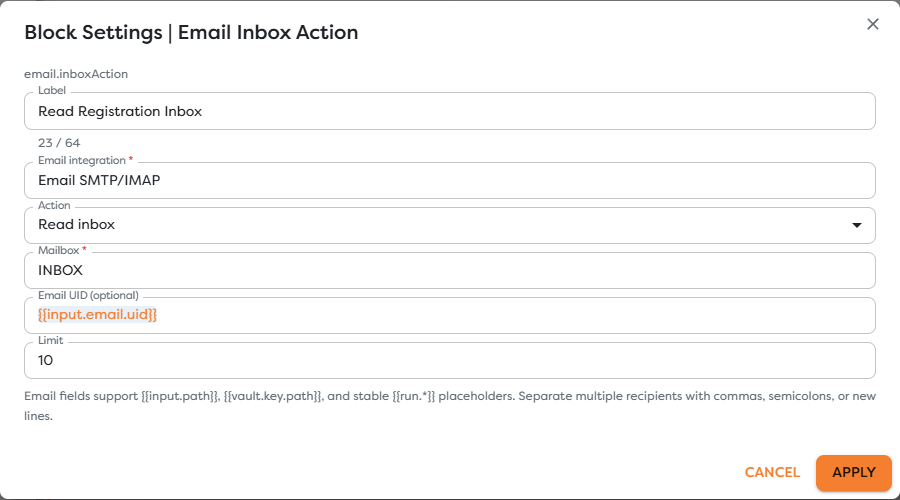
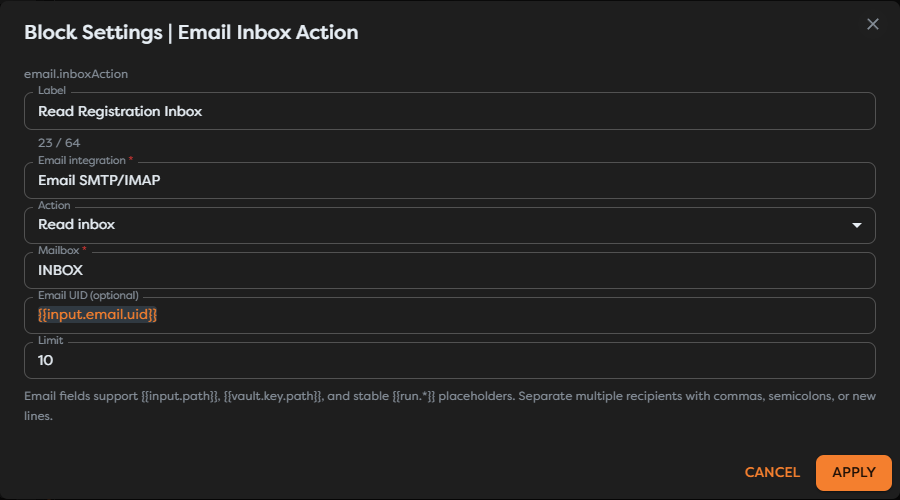
Configure:
| Field | Purpose |
|---|---|
| Email integration | The stored mailbox connection used for the operation. |
| Mailbox | Required provider or protocol-level mailbox name, such as INBOX. |
| Email UID (optional) | Targets the message identified by that UID in the selected mailbox. The default expression is {{input.email.uid}}. |
| Limit | Bounds the number of messages returned when the operation is not scoped to one UID. |
Use the UID supplied by an Email Trigger or earlier inbox read when the workflow must retrieve one exact message. An IMAP UID is scoped to its mailbox and account; it is not a global message identifier. Keep the same integration and mailbox context when passing {{input.email.uid}} downstream.
When Email UID is empty, keep Limit deliberately small and inspect a controlled result before building expressions against it. Do not assume mailbox ordering, body availability, or attachment representation without checking the output produced by the selected provider.
The mailbox value is provider-specific. INBOX is the standard primary IMAP mailbox, while subfolder names and separators can differ. Use the protocol-level value accepted by the integration, not only the label displayed by a mail client.
Delete one identified message
Choose Delete email only after the workflow has resolved and validated the intended message UID. The operation requires:
- an eligible email integration;
- the exact mailbox containing the message;
- the message's Email UID.
Deletion semantics can differ between providers and mailbox implementations. A request may mark a message deleted, move it to a trash location, or remove it according to provider policy. Confirm the observed behavior with a disposable message before using the action in production.
Treat deletion as a destructive external effect:
- Read or receive the message and retain its mailbox context and stable provider identifiers.
- Apply business conditions before reaching the delete block.
- Pass the original UID without converting it into a number or rebuilding it from another identifier.
- Connect Error and record enough non-secret context to investigate a rejected or repeated deletion.
- Verify the result in the mailbox during testing.
Do not retry deletion indefinitely. A second attempt can fail because the first request already changed the mailbox state.
Create a draft for review
Choose Create draft when a workflow should prepare content but leave the final send decision to a person or another controlled process.
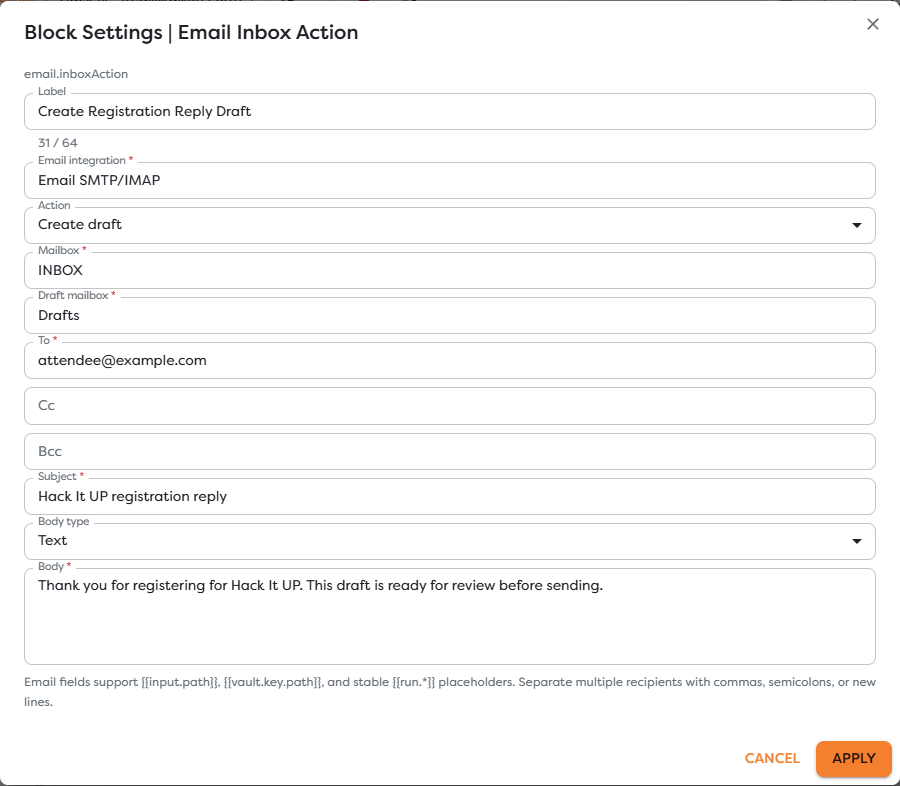
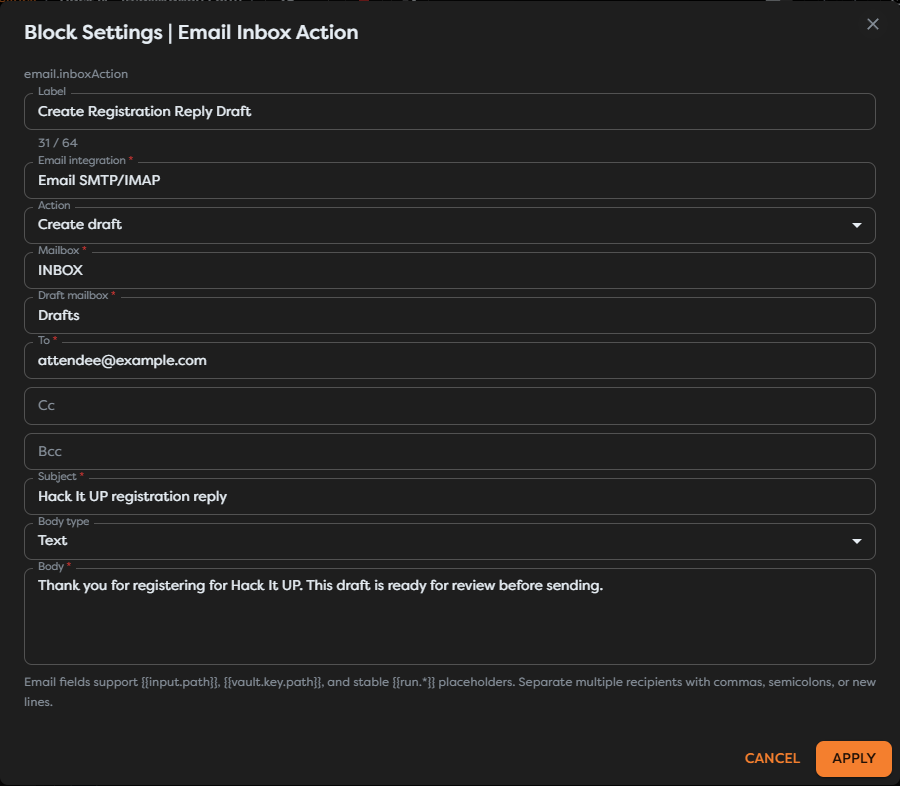
Configure:
| Field | Purpose |
|---|---|
| Mailbox | Required mailbox context for the selected integration. |
| Draft mailbox | Destination folder for the created draft, commonly Drafts; use the provider's accepted mailbox name. |
| To | Required recipient list. |
| Cc and Bcc | Optional additional recipients. |
| Subject | Required draft subject. |
| Body type | Text for plain text or HTML for HTML content. |
| Body | Required draft content. |
Creating a draft does not send an email. Verify that the item appears in the intended account and folder, with the expected recipients, subject, body format, and connected identity.
For a reply-oriented draft, values can come from a normalized email payload:
To: {{input.email.from.address}}
Subject: Re: {{input.email.subject}}
Body: Thank you for your message. We will review your Hack It UP registration.
Inspect a real upstream output before relying on those paths. Sender and body fields can vary with message structure and provider normalization.
Use plain text unless HTML is required. When Body type is HTML, do not insert untrusted email content directly into markup. Escape or sanitize sender-controlled values and verify the rendered draft in the provider interface.
Connect outputs safely
The block exposes two named paths:
- Out continues after the mailbox operation succeeds and carries the result reported by the integration.
- Error carries failure information when the connection, mailbox, UID, permission, content, or provider operation fails.
Inspect the actual output from each operation before writing downstream expressions. Read, delete, and draft operations do not have the same result contract, and provider-specific fields can differ.
Connect Error to controlled logging, alerting, or recovery. Do not log message bodies, recipient lists, authentication data, or attachments unless the workflow has an explicit data-handling requirement and appropriate access controls.
Test the block
- Use a test mailbox and non-sensitive messages.
- Confirm inbox and modification permissions on the selected integration.
- Run Read inbox with one known UID and verify the returned message.
- Run a bounded mailbox read without a UID and inspect ordering and result shape.
- Create a draft with controlled recipients and verify its folder, subject, body type, and content.
- Delete only a disposable message and confirm the provider's deletion behavior.
- Test an invalid mailbox, missing UID, and revoked permission through the Error path.
- Save and publish only after every operation used by the workflow behaves as intended.
Troubleshoot Email Inbox Action
- The block is unavailable: configure an accessible Email SMTP/IMAP, GMail, or Outlook integration with inbox capability, then disable Hide unavailable blocks while checking availability.
- The integration selector is empty: confirm the integration type, status, owner, team access, and project ownership scope.
- Mailbox not found: use the protocol-level mailbox name and provider-specific folder separator.
- Read returns the wrong message: verify that the UID came from the same integration and mailbox.
- Read returns too much data: clear an unintended UID only when a list is required and reduce Limit.
- Delete fails after a retry: inspect whether the first attempt already changed or removed the message.
- The draft is missing: verify modification permission, Draft mailbox, connected account, and provider-specific folder name.
- Recipients are rejected: check address formatting and separate multiple recipients with commas, semicolons, or new lines.
- HTML appears as text: select HTML as Body type and provide valid, sanitized markup.
- SMTP works but inbox operations fail: test IMAP or provider read/write permissions independently of sending.
Next steps
- Messaging Action Blocks
- Email Trigger
- Configure Email Integrations
- Use Template Expressions
- Read Block Logs and Output
Continue with Send Email to send a message immediately instead of storing it as a draft.