
Host an HTTP Endpoint
Use an Endpoint Trigger to publish a Builders pipeline as an HTTP API or webhook destination. This guide combines the trigger settings, request contract, response path, publication, and operational checks required for a complete public endpoint.
The example accepts event registrations through a protected POST endpoint, validates the JSON object, creates a normalized result, and returns that result synchronously.
Define the contract first
Write down these decisions before configuring the trigger:
| Contract element | Example | Why it matters |
|---|---|---|
| Method | POST | Defines the caller's HTTP operation |
| Custom path | events/hack-it-up/registrations | Creates a stable, readable address |
| Authentication | Endpoint token | Prevents anonymous runs |
| Request media type | application/json | Determines body parsing and validation |
| Request schema | Registration object | Rejects malformed input before processing |
| Response mode | Sync | Caller waits for the workflow-produced result |
| Response type | JSON | Defines serialization and Content-Type |
| Rate limit | Product-specific count and window | Bounds accepted traffic to the endpoint |
Changing any of these after clients integrate is an API change. Prepare a migration path or a new endpoint path rather than silently breaking the existing contract.
Configure method, path, and address
Add Endpoint Trigger, open its settings, and choose GET, POST, PUT, PATCH, or DELETE. Add a custom path when the generated block ID is not an appropriate public contract.


The generated address has this shape:
https://api.builders.boilerplate.com/triggers/<project-id>/<pipeline-id>/<endpoint-path>
A custom path can contain several segments. Do not add a leading or trailing slash. Copy the generated address from the trigger rather than constructing IDs manually.
Use HTTP methods according to their semantics. In particular, do not use GET for an operation that creates a record, sends a message, or otherwise changes state. The HTTP Semantics specification is the primary reference for method and response behavior.
Configure access and traffic limits
Endpoint Trigger is protected by its endpoint token by default. Keep Require authentication enabled unless anonymous access is an explicit requirement.
The caller can send the current endpoint token in either form:
Authorization: Bearer <endpoint-token>
x-trigger-token: <endpoint-token>
Do not send both headers with different values. Store the token in the caller's secret manager and rotate it after exposure. See Authentication for Public Workflows for rotation and negative testing.
Configure the maximum request count and time window for the expected traffic. The Endpoint limit applies to the endpoint as a whole, not independently to each IP address or caller. It reduces bursts but does not replace authentication, caller-specific quotas, or upstream abuse protection.
Validate a JSON request
Leave Initial body (JSON) as {} when the caller supplies the complete body. Enable Validate request body and define a JSON Schema before connecting blocks that produce external effects.
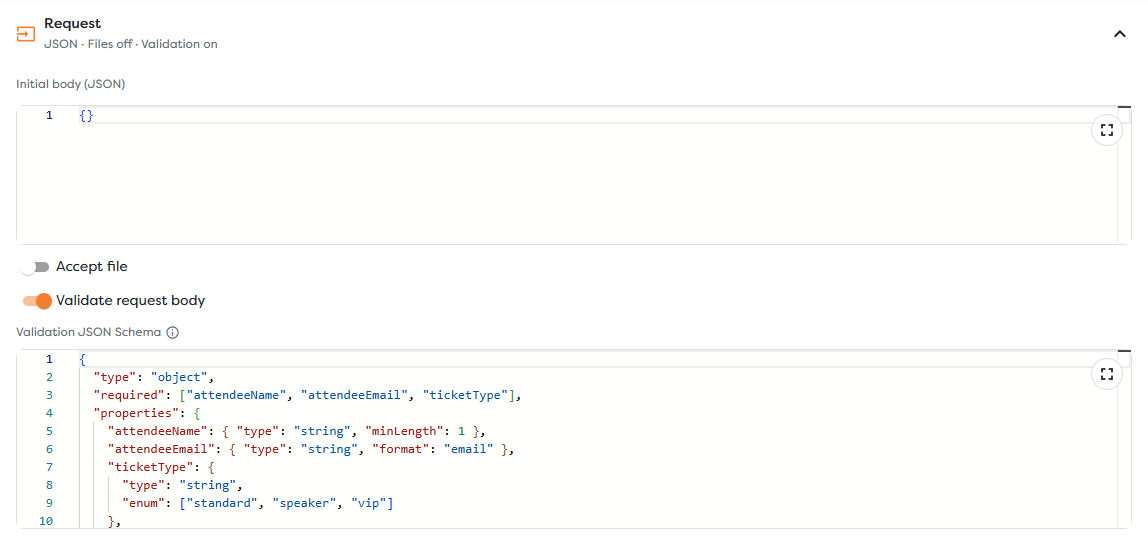
{
"type": "object",
"required": ["attendeeName", "attendeeEmail", "ticketType"],
"properties": {
"attendeeName": { "type": "string", "minLength": 1 },
"attendeeEmail": { "type": "string", "format": "email" },
"ticketType": {
"type": "string",
"enum": ["standard", "speaker", "vip"]
},
"consent": { "type": "boolean" }
},
"additionalProperties": false
}
Builders validates Endpoint schemas with Ajv. The JSON Schema tutorial explains object properties, required values, types, and other schema concepts.
Schema validation confirms shape, not business authorization. Validate ticket availability, identity, ownership, allowed database IDs, file paths, and other security-sensitive meaning downstream before using the values.
Choose Async or Sync response mode
Use Async when the caller only needs confirmation that Builders accepted the request. The workflow continues in the background, so acceptance is not evidence that downstream processing succeeded.
Use Sync when the caller requires a value produced by the workflow. Sync mode adds a Response input to the trigger. Connect Out to the processing path and connect the final response-producing block back to Response.
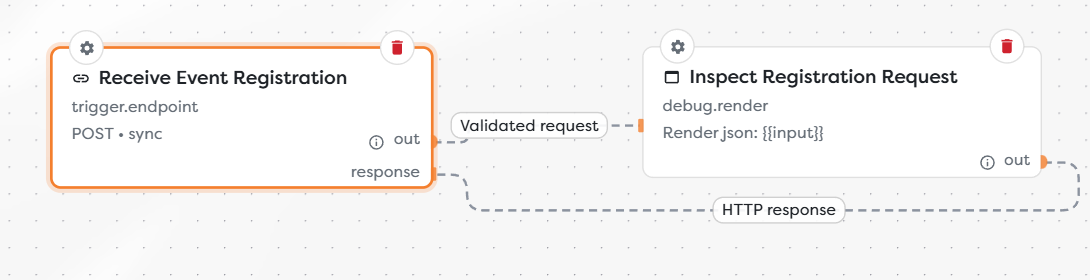
Keep a synchronous path short enough for the caller's timeout. Use Async for long waits, human approval, delayed retries, or work whose completion should be monitored through run status.
Configure the synchronous result
Select JSON, Text, XML, HTML, or File and set Response path to a value from the block connected to Response.
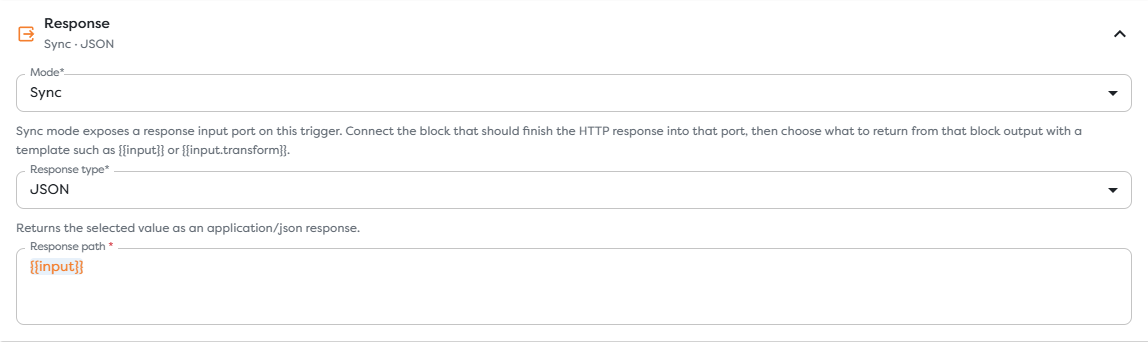
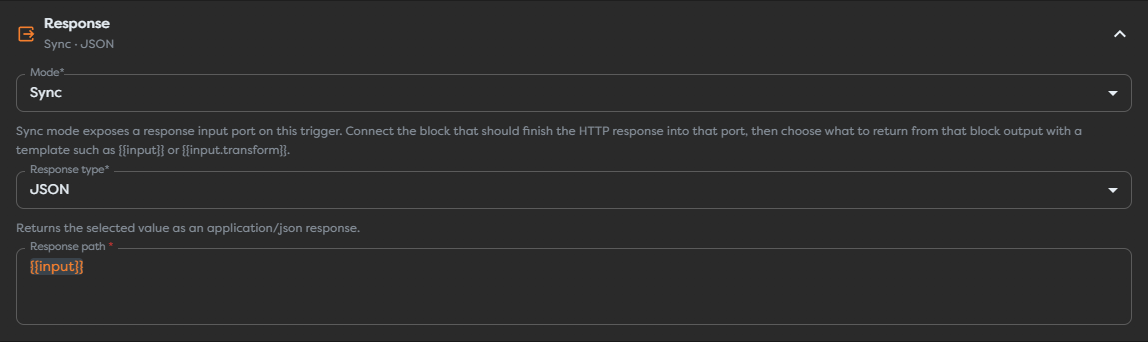
{{input}} returns the complete final-block output. A path such as {{input.registration}} returns only that property. This input is the output arriving through the Response connection, not the original trigger body unless the workflow explicitly preserves it.
For a JSON response, normalize every successful branch to one stable shape, for example:
{
"registrationId": "reg_01J...",
"status": "accepted",
"attendeeEmail": "alex.morgan@example.com"
}
Do not expose stack traces, credentials, internal configuration, raw provider errors, or data belonging to another caller.
Publish and call the endpoint
Apply the trigger settings, save the draft, test the internal processing path, and publish the intended version. Live traffic always targets the published version.
Use environment variables for the deployment-specific address and token:
curl --request POST "$BUILDERS_ENDPOINT_URL" \
--header "Authorization: Bearer $BUILDERS_ENDPOINT_TOKEN" \
--header 'Content-Type: application/json' \
--data '{
"attendeeName": "Alex Morgan",
"attendeeEmail": "alex.morgan@example.com",
"ticketType": "standard",
"consent": true
}'
Then run negative tests:
# No credential: expect an authorization rejection.
curl --request POST "$BUILDERS_ENDPOINT_URL" \
--header 'Content-Type: application/json' \
--data '{}'
# Valid credential but invalid contract: expect request validation to fail.
curl --request POST "$BUILDERS_ENDPOINT_URL" \
--header "Authorization: Bearer $BUILDERS_ENDPOINT_TOKEN" \
--header 'Content-Type: application/json' \
--data '{"attendeeName":"Alex Morgan"}'
For each test, compare the HTTP response with Logs. Invalid authentication or request validation should not reach the blocks that send email, write data, invoke AI, or call external providers.
Interpret failures
| Symptom | Check |
|---|---|
| Not found | Published version, exact generated URL, custom path, and HTTP method |
| Unauthorized | Current token and the selected token header format |
400 validation response | JSON syntax, Content-Type, required properties, types, formats, and additional-property policy |
| Empty Sync response | Response connection, final-block output, and Response path |
| Caller timeout | Long or waiting blocks; shorten the Sync path or use Async |
| Repeated external effect | Caller retry behavior and workflow idempotency key |
| Rate rejection | Endpoint request count, window, expected peak, and upstream retries |
| Run fails after acceptance | Published run, block logs, provider response, budget, and concurrency |
Do not promise one universal HTTP status for every downstream failure. Capture the actual response and corresponding run during controlled tests, then document that behavior for the client.
Operate the endpoint
- Version request and response contracts outside the Designer as part of the consuming application's documentation.
- Use a caller-supplied idempotency identifier or validated business key for retried writes.
- Monitor request volume, latency, validation rejections, unauthorized attempts, run failures, and compute-token usage.
- Keep authentication failures separate from business validation errors.
- Rotate credentials without placing old or new values in workflow logs.
- Test the published endpoint after every method, path, schema, response, authentication, or ownership change.