
Transform
Use Transform to create a predictable JSON value from workflow input and template expressions. It is the preferred processing block for straightforward field selection, renaming, nesting, and constant values because the mapping remains visible without custom code.
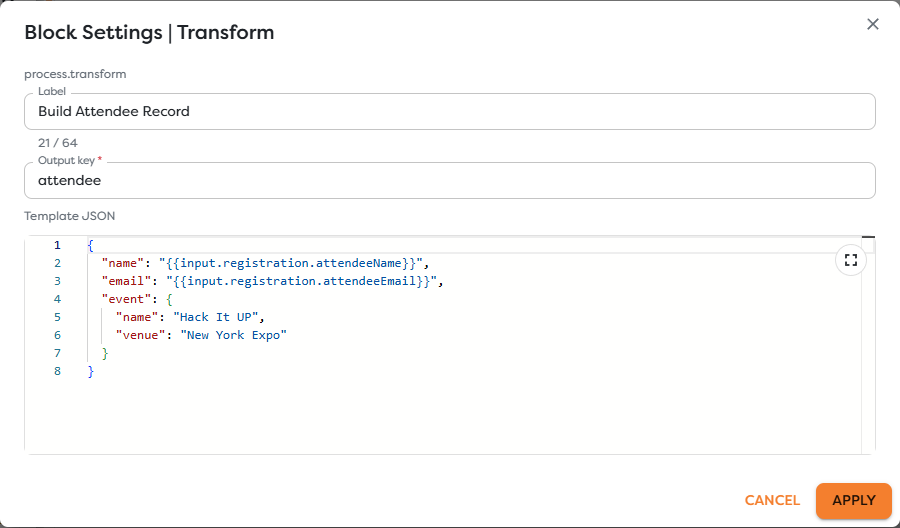
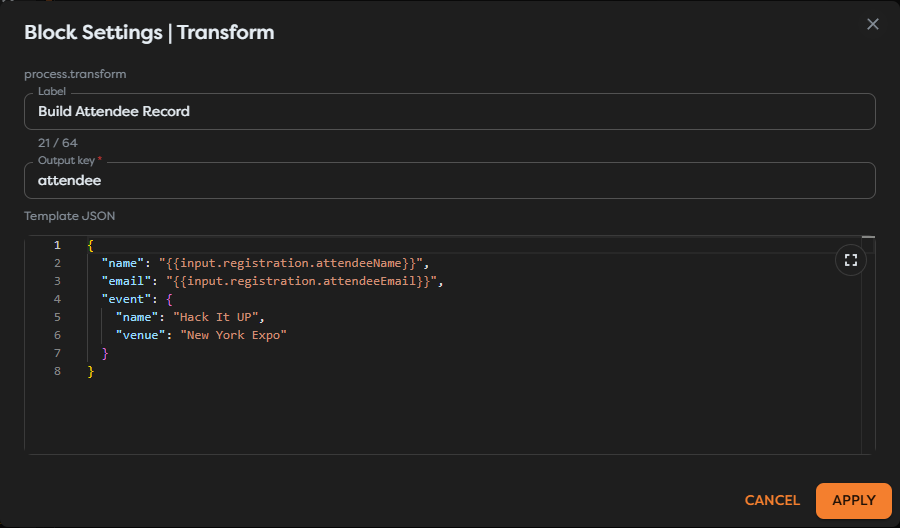
Configure the transformation
Add Transform from the Process category and set:
| Field | Requirement |
|---|---|
| Label | Describe the business result, such as Build Attendee Record. |
| Output key | Required property name under which the transformed value is added. |
| Template JSON | Required valid JSON whose string values can contain Builders template expressions. |
For the event example, use output key attendee and this template:
{
"name": "{{input.registration.attendeeName}}",
"email": "{{input.registration.attendeeEmail}}",
"event": {
"name": "Hack It UP",
"venue": "New York Expo"
}
}
Keep the JSON formatted consistently. Indentation does not change the result, but a clean template makes missing commas, braces, and incorrect nesting easier to find.
Understand the output
Transform preserves the upstream payload under input and adds the rendered value under the configured key. With output key attendee, the next block receives a shape like:
{
"input": {
"registration": {
"attendeeName": "Ada Lovelace",
"attendeeEmail": "ada@example.com"
}
},
"attendee": {
"name": "Ada Lovelace",
"email": "ada@example.com",
"event": {
"name": "Hack It UP",
"venue": "New York Expo"
}
}
}
Downstream blocks reference {{input.attendee.name}} when the Transform output becomes their input. The original registration remains available at {{input.input.registration}} in that immediate wrapper. Inspect the actual execution output when chaining several blocks, because each step establishes the next input boundary.
Preserve JSON types
Template JSON must be syntactically valid before expressions resolve. Constants keep their declared JSON types:
{
"approved": true,
"seatCount": 1,
"notes": null,
"tags": ["speaker", "confirmed"]
}
An expression inside quotes is a JSON string location. When a complete object or array must remain structured, verify the rendered output in a controlled run rather than assuming that a textual substitution preserves its runtime type.
Choose Transform or Code
Use Transform for declarative mapping, constants, nesting, and readable templates. Use Code when the operation needs loops, conditional calculations, complex normalization, Runtime API access, or error handling that would be obscure in a JSON template.
Do not use Code only to rename three fields. A Transform template is easier to review, export, and troubleshoot.
Test the contract
- Run the workflow with representative input.
- Inspect the block immediately before Transform.
- Select the Transform execution and confirm both the preserved input and named result.
- Render
{{input.attendee}}in the next block. - Test missing optional fields and invalid required fields separately.
Transform maps values; it is not a schema validator. Validate untrusted input before relying on a field for authorization, SQL, URLs, file paths, or external side effects.
Troubleshoot Transform
- The settings cannot be applied: validate commas, quotes, brackets, and braces in Template JSON.
- A field is empty: compare the expression with the exact upstream output path and casing.
- The next block cannot find the result: reference the configured output key from the next block's
input. - A value has the wrong type: inspect whether the expression resolved inside a quoted JSON string.
- The output overwrites an expected key: choose a specific output key that does not collide with another result.
- The template is difficult to understand: move complex branching or iteration into Code and keep the returned contract explicit.