
Send Email
Use Send Email (email.send) to send a plain-text or HTML message through an eligible Email SMTP/IMAP, GMail, or Outlook integration. The block resolves recipients and content at runtime, submits the message through the selected connection, and exposes separate Out and Error paths.
Send Email performs an immediate external side effect. Use Email Inbox Action with Create draft when a person or another controlled process should review the message before it is sent.
Prepare a send-capable integration
The selected email integration must be active, accessible in the project's personal or team ownership scope, and authorized to send as the intended identity.
| Integration | Send boundary | What to verify |
|---|---|---|
| Email SMTP/IMAP | SMTP configuration | Host, port, TLS mode, credentials, configured From address, and server relay policy. |
| GMail | Gmail API authorization | Connected mailbox, send scope, OAuth grant, and permitted sender aliases. |
| Outlook | Microsoft Graph authorization | Connected account or mailbox, Mail.Send permission, tenant policy, and delegated sender rights. |
Inbox access and sending are independent capabilities. A successful Email Trigger or inbox read does not prove that the same integration may send. Test the outbound capability separately and review Email Integrations for provider setup and permission references.
Configure the message
Add Send Email from the Process catalog and complete the required recipients and content.
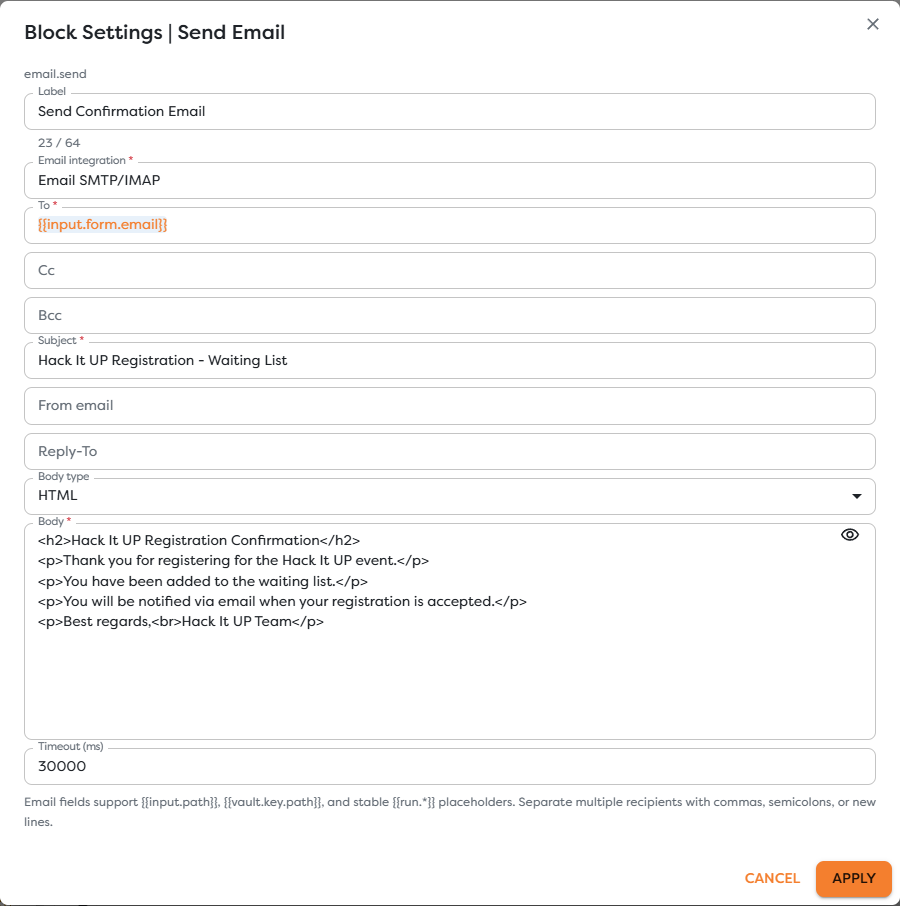
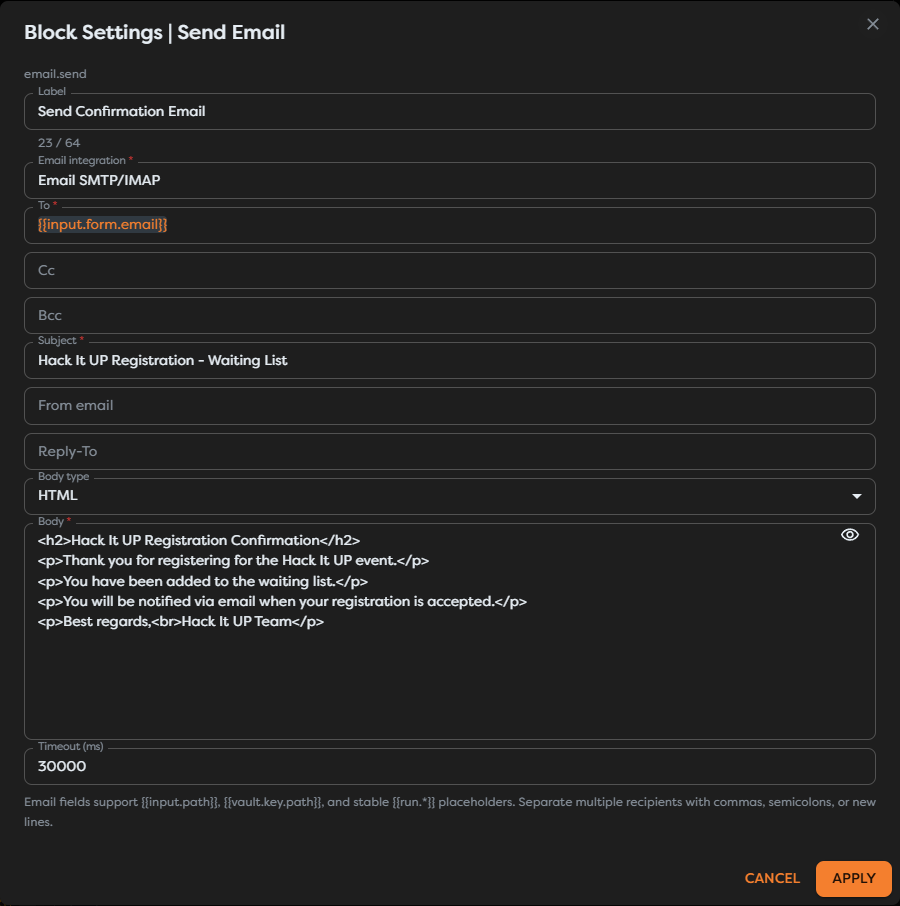
| Field | Required | Purpose |
|---|---|---|
| Email integration | Yes | Stored SMTP, GMail, or Outlook connection used to submit the message. |
| To | Yes | Primary recipient or recipient list. |
| Cc | No | Visible carbon-copy recipients. |
| Bcc | No | Blind carbon-copy recipients. |
| Subject | Yes | Message subject after template resolution. |
| From email | No | Requested sender override when the integration and provider permit it. |
| Reply-To | No | Address to which recipient replies should be directed. |
| Body type | Yes | Text or HTML. |
| Body | Yes | Plain-text content or HTML markup. |
| Timeout (ms) | Yes | Maximum time allowed for the send request. The example uses 30000. |
Email fields support {{input.path}}, {{vault.key.path}}, and stable {{run.*}} placeholders. Separate multiple recipients with commas, semicolons, or new lines.
Resolve recipients from workflow data
Use a stable literal address only when every run has the same destination. Use a template expression when the recipient comes from a trigger or earlier block. The registration example sends to:
{{input.form.email}}
Inspect the actual upstream output before publishing. A missing, empty, or malformed value should fail a validation or condition step before the workflow reaches Send Email.
For multiple recipients:
- build a controlled list rather than inserting an unvalidated free-form string;
- normalize whitespace and address casing only where the business rule permits it;
- keep To, Cc, and Bcc semantics explicit;
- avoid exposing one customer's address to another through To or Cc;
- verify that a dynamically built list uses a separator accepted by the field.
Treat recipient data as personal information. Do not place complete distribution lists in block labels, screenshots, logs, or exported examples.
Control sender identity and replies
Leave From email empty to use the sender configured or implied by the integration. Set it only when the connected account is authorized to send as that address.
Providers can reject, rewrite, or constrain a sender override. SMTP servers may enforce authenticated-sender or relay rules; Gmail can require a configured send-as alias; Outlook can require Send As or Send on Behalf permission for another mailbox. A value accepted by the Builders form does not expand the provider grant.
Use Reply-To when responses should go somewhere other than the visible sender. This changes the reply destination presented to a mail client; it does not change which account submits the original message.
For production mail, align the visible sender, authenticated identity, and domain policy. SPF, DKIM, DMARC, provider reputation, and recipient filtering are outside the block configuration but can determine whether a submitted message is delivered, quarantined, or rejected later.
Choose Text or HTML
Select Text for plain content and HTML when the message requires markup. The Hack It UP confirmation uses a small HTML document fragment:
<h2>Hack It UP Registration Confirmation</h2>
<p>Thank you for registering for the Hack It UP event.</p>
<p>You have been added to the waiting list.</p>
<p>You will be notified via email when your registration is accepted.</p>
<p>Best regards,<br>Hack It UP Team</p>
Keep transactional HTML simple. Email clients do not render HTML like a normal browser and may remove unsupported styles or content. Verify the result in representative clients rather than relying only on the source shown in Block Settings.
Do not insert untrusted values directly into HTML. Escape or sanitize names, messages, and other sender-controlled data before rendering them into markup. Never include access tokens, passwords, private Vault values, or unrelated workflow context in the message body.
Send Email exposes one selected body type, not a separately configured text-and-HTML alternative pair. When broad client compatibility matters, confirm that the chosen format meets the product requirement.
Set a bounded timeout
Timeout (ms) limits how long the block waits for the send request. Use a value that accommodates the selected provider without allowing a failed connection to hold the workflow indefinitely.
A timeout is ambiguous: the provider may have accepted the message shortly before the client stopped waiting. Do not immediately repeat a timed-out send without checking the block logs, provider response or sent mailbox, and the workflow's deduplication state.
When a business process can resume or retry:
- create a stable notification key from the event and recipient;
- record the intended send before or atomically with the operation when possible;
- preserve the run ID and provider message identifier returned by a successful request;
- suppress another send when the same business notification has already completed;
- keep retry attempts bounded and observable.
Email submission is not inherently idempotent. Re-running a successful block can send the same message again.
Understand Out and Error
Send Email exposes two named paths:
- Out continues after the integration reports a successful send request and carries the result returned by the runtime.
- Error carries failure information for invalid configuration, template resolution, authentication, connection, timeout, provider rejection, or another send error.
Inspect a controlled run before writing downstream expressions against the output. SMTP, Gmail, and Outlook can return different identifiers and metadata.
A successful Out path means that the send request was accepted at the integration boundary. It does not guarantee final delivery, inbox placement, or that the recipient read the message. Use provider delivery events or logs when the workflow requires delivery-level evidence.
Connect Error to controlled logging, an alert, a compensating step, or a review queue. Do not route it directly back to Send Email without a retry limit and duplicate-prevention rule.
Place Send Email in a workflow
The registration pipeline uses this sequence:
Web Form Registration
-> Validate and Normalize Registration
-> Save Registration
-> Send Confirmation Email
Placing the send after validation prevents malformed addresses from reaching the provider. Placing it after storage means the confirmation is sent only after the registration has been recorded successfully.
Choose the order according to the business transaction. If saving succeeds but sending fails, preserve enough state to retry or surface the unsent confirmation without creating a second registration.
Test an email send
- Use a controlled recipient mailbox and a non-production sender.
- Test the send capability of the selected integration.
- Run the draft with representative recipient and template data.
- Inspect the resolved To, Cc, Bcc, Subject, From, Reply-To, Body type, and Body without exposing secrets.
- Confirm the Out result and retain its provider identifiers when available.
- Verify the message in the sender's Sent folder and the recipient mailbox.
- Check plain-text or HTML rendering, links, reply behavior, sender identity, and spam placement.
- Test an invalid address, revoked credential, unauthorized From address, and timeout through Error.
- Confirm that retrying or rerunning cannot send an unintended duplicate.
Troubleshoot Send Email
- The block is unavailable: configure an eligible Email SMTP/IMAP, GMail, or Outlook integration with send capability, then disable Hide unavailable blocks while checking availability.
- The integration selector is empty: verify integration status, type, owner, team access, and project ownership scope.
- To is empty at runtime: inspect the upstream output and validate the recipient before reaching the block.
- The provider rejects From email: leave the override empty or authorize that sender or alias in the provider account.
- Authentication fails: test SMTP credentials or reconnect the OAuth integration with the required send permission.
- HTML is displayed as text: select HTML and provide valid markup; use Text for plain content.
- The request times out: inspect provider state before retrying because the first attempt may already have been accepted.
- Out succeeds but the message is missing: check the Sent folder, provider delivery logs, recipient filtering, spam placement, domain authentication, and recipient policy.
- Recipients receive duplicates: deduplicate by business event and recipient before allowing a rerun or retry.
- Replies go to the wrong address: verify Reply-To separately from From email.
Next steps
- Messaging Action Blocks
- Email Inbox Action
- Configure Email Integrations
- Use Template Expressions
- Read Block Logs and Output
- Build an Automated Email Response Workflow
Continue with Slack Action to perform messaging operations in an authorized Slack workspace.