
Chat Trigger
Use a Chat Trigger when Builders should host or embed a conversational interface and start a published workflow for every visitor message. The trigger owns the chat surface, visitor access, rate limits, and session metadata. The connected workflow produces the assistant response.
This article uses the separate Documentation - Chat Trigger pipeline in the Hack It UP - event project. Its Hack It UP Event Concierge answers controlled questions about the agenda, registration, and venue.
Add the trigger
Drag Chat Trigger from Triggers onto the Designer canvas and open its settings. A Chat Trigger has two connections with different roles:
- Out sends each accepted visitor message into the workflow.
- Response receives the value that Builders should display as the assistant message.
Connect Out to the first processing block, then connect one final block back to Response. The response connection is not another forward execution path; it closes the conversation turn.
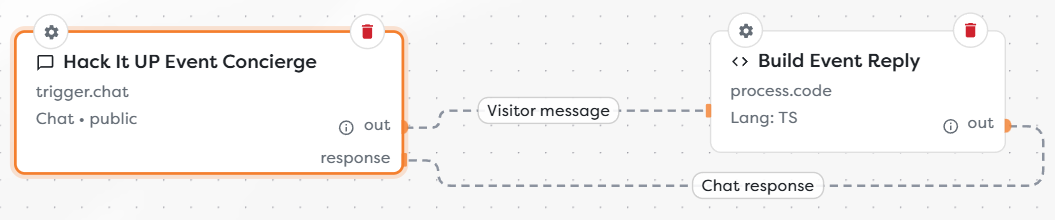
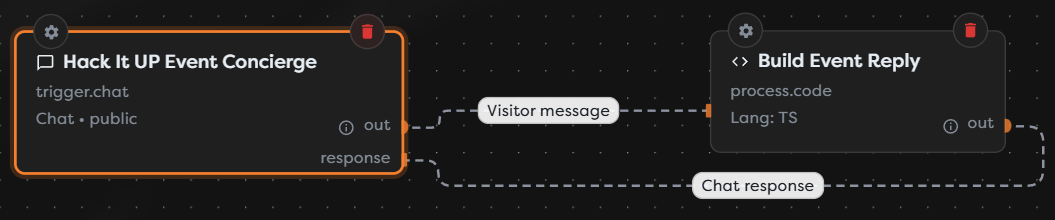
The example sends Visitor message to a Code block and returns Chat response to the trigger. A workflow can place validation, database queries, AI, conditions, integrations, or several blocks between those two connections.
Configure the chat experience
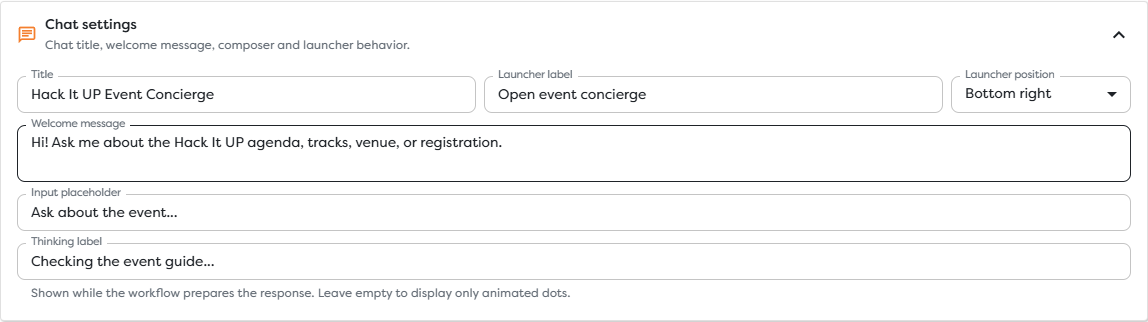
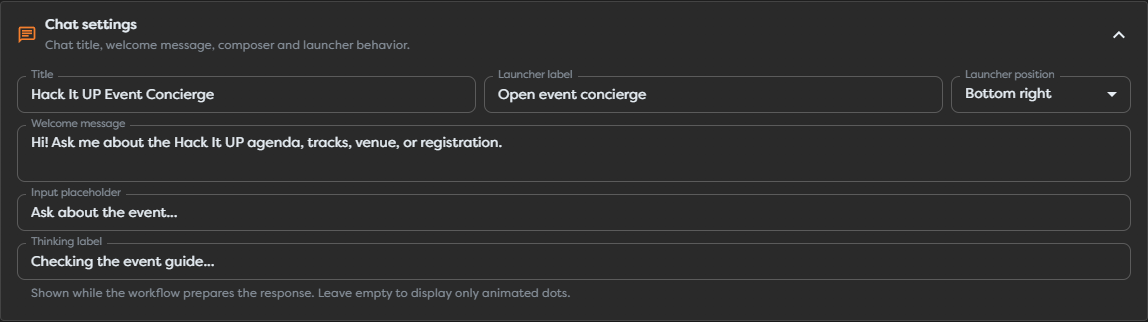
Open Chat settings and define the text a visitor sees before and during a turn.
| Setting | Behavior |
|---|---|
| Title | Heading displayed in the hosted chat and embedded interface. |
| Welcome message | Initial assistant message shown before the visitor sends anything. It does not start a workflow run. |
| Input placeholder | Hint displayed in the empty message composer. |
| Thinking label | Text shown while the workflow prepares a response. Leave it empty to show only animated dots. |
| Launcher label | Accessible name for the floating widget launcher. Use a short action such as Open event concierge. |
| Launcher position | Places the floating launcher at the bottom-right or bottom-left of its host page. |
Write the welcome message so it sets a useful scope without promising capabilities the workflow does not provide. For example, a registration assistant should not claim it can cancel a booking unless its workflow verifies identity and performs that action.
The thinking label is presentation text. It does not stream block progress, expose internal reasoning, or guarantee when the answer will arrive.
Choose appearance
Under Appearance, select Template for a built-in visual preset or Manual for custom CSS. Available templates include Clean, Compact, Dark, and Google Blue.
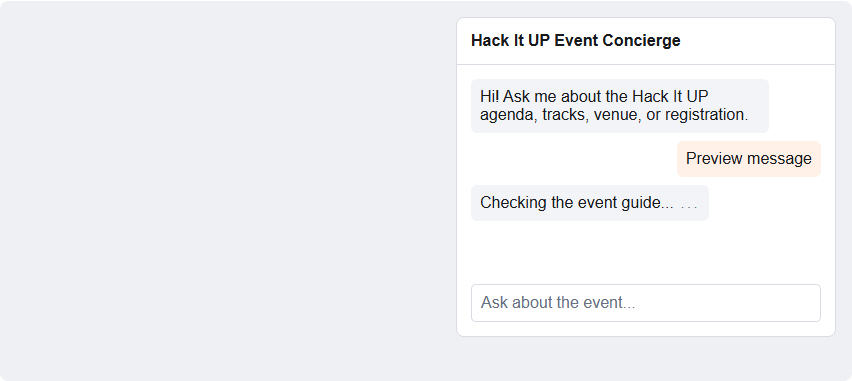
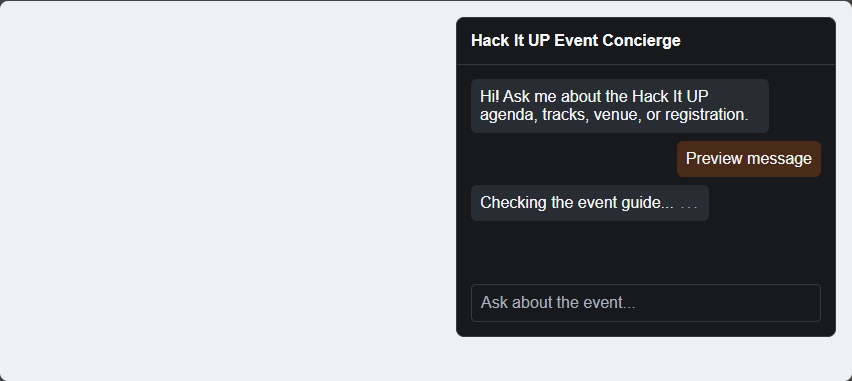
Use Preview to check the title, welcome message, user message, thinking state, placeholder, contrast, and launcher position before publishing. The preview simulates a turn; it does not execute the connected workflow.
Manual CSS is applied inside the isolated chat frame. Keep rules scoped to the chat classes exposed by the preview and verify the result after product or browser updates. Preserve readable contrast, visible focus, message alignment, composer states, and narrow-screen behavior.
Read incoming messages
Every accepted visitor message starts a new workflow run through Out. The trigger output has this shape:
{
"input": {
"chat": {
"message": "Where is Hack It UP?",
"sessionId": "<string>",
"visitorId": "<string>",
"userId": "<string>",
"identitySource": "visitor",
"timestamp": "<ISO timestamp>"
}
},
"__route": "out"
}
Downstream blocks receive the value below the trigger envelope, so the visitor text is available as {{input.chat.message}}.
| Field | Meaning |
|---|---|
message | Untrusted text submitted by the visitor. |
sessionId | Identifier shared by turns in one chat session. Use it to correlate conversation state. |
visitorId | Client visitor identifier used for a public chat. Do not treat it as verified account identity. |
userId | User identifier resolved by an authorization mode when available. |
identitySource | Indicates whether identity came from visitor, basic, or bearer. |
timestamp | ISO timestamp recorded for the submitted message. |
Inspect a real published run before depending on optional identity values. Public mode identifies a browser visitor, not a verified person. Basic and Bearer modes provide different identity guarantees and should be evaluated against the authorization system that issued them.
Treat message as untrusted input. Validate commands and identifiers before actions, delimit it clearly when used in AI prompts, and never concatenate it directly into SQL, HTML, file paths, shell commands, or privileged API requests.
Return the assistant message
Open Runtime and response and set Response path to a template expression resolved from the block connected to Response. The example response block returns:
{
"reply": "Hack It UP is hosted at New York Expo. Your registration confirmation contains the entrance and arrival details.",
"sessionId": "<string>"
}
Its response path is:
{{input.reply}}
The input in this expression is the output of the final block connected to Response, not the original trigger payload. Preserve the trigger message or session values explicitly when a later block needs them.
For a reliable response path:
- Connect the trigger's Out port to the processing path.
- Make the final block return one predictable object shape for every successful branch.
- Connect that final block's output to the trigger's Response port.
- Point Response path to the string that should be shown to the visitor.
- Test empty results, errors, timeouts, and every conditional branch.
If several branches can answer, normalize them to one response object before returning to the trigger. Do not make the widget interpret provider-specific AI, HTTP, or database responses directly.
Protect access
Choose an authorization mode under Security.
| Authorization | Request behavior | Suitable use |
|---|---|---|
| Public | Accepts visitors without a configured shared credential. | Public support, event, or product guidance where downstream actions remain low-risk and abuse-controlled. |
| Basic | Accepts one of up to ten configured username/password pairs. | Small controlled audiences where shared browser credentials are acceptable. |
| Token | Requires the configured secret in the x-auth-token header. | A trusted application or proxy that can add a custom request header. |
| Bearer verification | Sends a configured HTTP verification request for the supplied Bearer token and reads the user ID from the configured dot path, sub by default. | An application integrated with an external identity or token-verification service. |
Basic passwords and access tokens are sensitive values. Keep them out of screenshots, URLs, workflow output, logs, source control, manual CSS, and public embed markup. Rotate a value immediately if it is exposed.
Protected chats should be mounted through window.BuildersChat.mount(...) with credentials obtained by the host application at runtime. Do not hard-code visitor credentials in public HTML. Use the current Builders integration contract for the selected authorization mode rather than guessing the mount options.
Restrict embedding origins
Enter one allowed origin per line, for example:
https://events.example.com
https://*.events.example.com
An origin consists of scheme, host, and port; it does not include a URL path. Use exact origins where possible and wildcard subdomains only when every matching host is trusted. See MDN's CORS guide for browser cross-origin concepts.
An empty Allowed origins list permits only the Builders-hosted chat. Add the production and controlled preview origins that actually embed the widget. Do not add * merely to fix a deployment error.
Set rate limits
Runtime settings provide two message ceilings over one configured time window:
| Setting | Scope |
|---|---|
| Client messages | Maximum messages accepted from one resolved chat identity during the window. |
| Global messages | Maximum messages accepted by this chat across all visitors during the window. |
| Window and Unit | Length of the configured limit period in seconds, minutes, or hours. |
The example allows 8 client messages and 240 global messages per minute. Choose values based on normal turn volume, downstream latency, AI or integration cost, and the maximum load the workflow can handle.
Rate limits reduce accidental bursts and basic abuse, but they are not identity verification, authorization, CAPTCHA, or a complete cost-control system. Public visitor identifiers can be reset or distributed across clients. Place stronger controls before high-impact actions and monitor both rejected traffic and accepted workflow runs.
Publish and open the hosted chat
The read-only Chat URL becomes usable only after the pipeline version is published. Copy it from Published chat instead of constructing project, pipeline, and block identifiers manually.
- Connect Out and Response and configure a valid response path.
- Save the draft and resolve Designer validation errors.
- Preview the selected chat style.
- Test processing blocks with controlled input where possible.
- Publish the intended version.
- Open the exact Chat URL shown in trigger settings.
- Send one non-sensitive message through the hosted chat.
- Wait for the assistant response and inspect the resulting published run.
- Confirm the trigger fields, final block output, response-path result, and external effects separately.
The published example accepted Where is Hack It UP? and returned the New York Expo response from its Code block. This verifies the hosted surface and response loop, not only a Designer test.
Publishing makes that version read-only. Later draft changes do not affect the live chat until a new version is published.
Embed the chat
Open Embed and copy the generated snippet for the layout used by the host page.
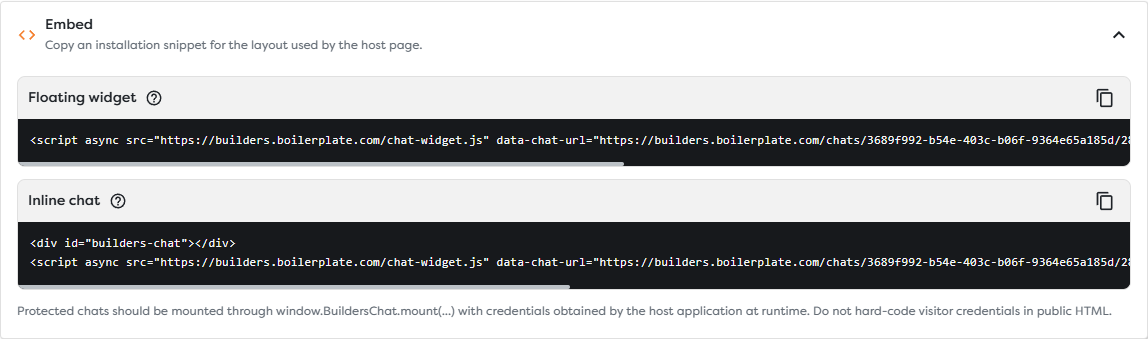
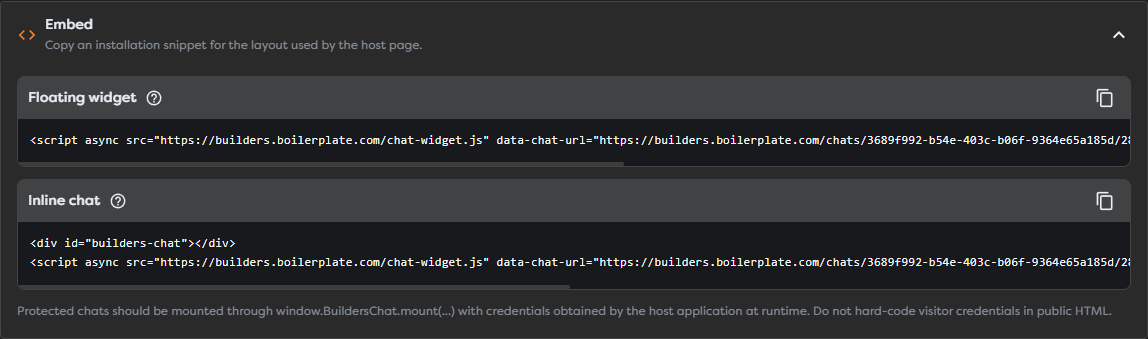
The floating widget snippet uses the generated chat URL and data-mode="widget":
<script async
src="https://builders.boilerplate.com/chat-widget.js"
data-chat-url="<copied Builders Chat URL>"
data-api-base="https://api.builders.boilerplate.com"
data-mode="widget"></script>
The inline layout adds a target element and uses data-mode="inline":
<div id="builders-chat"></div>
<script async
src="https://builders.boilerplate.com/chat-widget.js"
data-chat-url="<copied Builders Chat URL>"
data-api-base="https://api.builders.boilerplate.com"
data-mode="inline"
data-target="#builders-chat"></script>
Place the inline target before the script. The async attribute lets a classic external script load in parallel and execute as soon as it becomes available; see MDN's script element reference.
After embedding:
- confirm the page origin is allowed;
- test the production Content Security Policy and network rules;
- verify the launcher does not cover navigation, consent controls, or mobile actions;
- verify inline width and height in the actual responsive container;
- send a real message from the host application;
- confirm protected credentials are obtained at runtime rather than exposed in page source.
Copy a new snippet after changing the published chat or embed mode. The generated URL is part of the deployment configuration and should not be assembled from remembered identifiers.
Operate chat workflows safely
- Validate visitor text and authorization before account, payment, booking, deletion, or administrative actions.
- Require a verified identity again before exposing personal records or performing irreversible effects.
- Keep AI tool access narrower than the conversational prompt and enforce permissions in the workflow.
- Limit retrieved context and response length so one turn cannot exhaust the workflow budget.
- Add explicit timeout and fallback responses for unavailable AI, database, HTTP, or integration blocks.
- Avoid returning stack traces, prompts, credentials, internal IDs, or raw provider errors to the visitor.
- Preserve
sessionIdfor correlation, but minimize storage of message content and define retention rules. - Make external effects idempotent when a visitor retries after a delayed response.
- Monitor global volume, per-client rejections, run failures, latency, and downstream cost.
Troubleshoot Chat Trigger
- The Chat URL does not load: confirm that the intended version is published and copy the URL again from Published chat.
- The chat shows an older configuration: verify which version is public; saved draft changes do not update a published chat.
- A message creates no run: check authorization, allowed origins, rate limits, publication state, and the browser network response.
- The widget keeps thinking: inspect the run for a failed, waiting, or timed-out block and confirm a final block reaches Response.
- The assistant message is empty: inspect the final block output and make Response path match its actual property, such as
{{input.reply}}. - The response path reads the wrong input: remember that it resolves against the block connected to Response, not directly against the trigger.
- One conditional branch never answers: connect every successful answer path to a common final response shape before returning to the trigger.
- The embedded chat is blocked: compare the host page's exact scheme, host, and port with Allowed origins, then check browser CORS, CSP, and network errors.
- A token-protected chat fails in a normal embed: obtain credentials in the trusted host application and mount the protected chat at runtime; do not place the token in public HTML.
- Visitors are rejected unexpectedly: review both client and global counters and their configured time window.
- The same person has several visitor IDs: public visitor identity is a client identifier, not a durable verified account.
- The launcher covers page controls: change its side or use inline mode in a dedicated responsive container.
- Preview works but the live answer fails: Preview validates appearance only. Publish, send a real message, and inspect the resulting run.