Workspace and Access
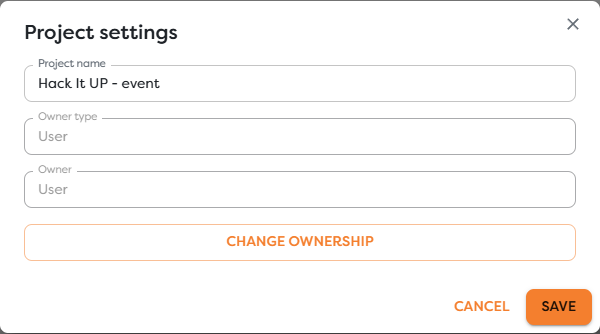
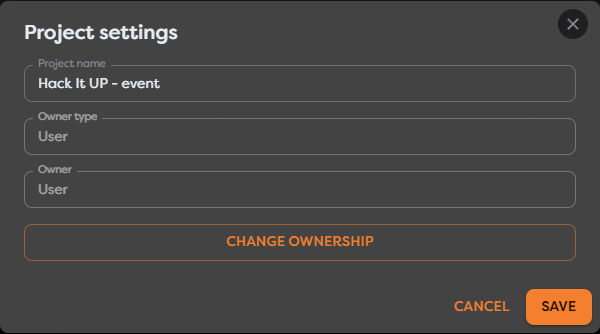
Workspace access in Builders starts with ownership. Projects, pipelines, integrations, drives, Vault entries, database connections, and AI connections belong to a user or a team, and that scope determines which people and workflows can see or select them.
Understand the two workspaces
Builders and the Team workspace in the main Boilerplate service have related responsibilities:
| Area | Responsibility |
|---|---|
| Builders | Projects, pipelines, workflow versions, runs, scoped resources, publishing, and project ownership |
| My team / Team workspace | Group membership, team roles, and granting or removing the team's access to Builders |
Selecting My team in Builders opens the team-management area provided by the main boilerplate.com service. This is where team membership and Builders access are managed for the group.
The available team roles are:
| Role | Position in the team |
|---|---|
| Viewer | Team member with the most restricted, read-oriented access level |
| Designer | Team member intended to work with shared Builders workflows |
| Team Leader | Team member with elevated team-management permissions |
| Team Owner | Permanent owner of the team; this role cannot be assigned to another member or transferred |
A team's access to Builders can be granted or removed from the Team workspace. Removing that access affects the team's ability to use team-owned Builders projects and resources even when the group and its members still exist in the main Boilerplate service.
Adding a person to the team does not by itself place every Builders project or resource under team ownership. The team must have access to Builders, the member's role must allow the intended action, and the project and each reusable resource must use the intended owner scope.
Compare personal and team scope
Use personal ownership when one user maintains the workflow and its dependencies. Use team ownership when eligible team members must collaborate on the project or keep its resources operational without depending on one person's private scope.
| Scope | Typical behavior |
|---|---|
| User | The project or resource belongs to one account and appears only where that personal scope is compatible. |
| Team | The project or resource belongs to the selected team and can be available to eligible team members and team-owned workflows. |
Team membership is necessary but not sufficient for every action. The team must have Builders access, and the member's current role, project ownership, resource ownership, and product limits can each affect whether an action is visible or enabled.
Follow the ownership chain
Use this order when diagnosing access:
account and team membership
-> team access to Builders
-> team role and permissions
-> project owner scope
-> pipeline inherited from the project
-> compatible resource owner scope
-> provider-side permissions and current usage limits
A pipeline does not independently grant access to a private integration, database, Vault entry, AI connection, or drive. Its blocks can select only compatible resources available to the owning project.
Prepare for ownership changes
Changing a project owner or moving a pipeline can change its resource visibility. Builders does not copy credentials or silently expand access. References that are unavailable in the destination scope must be replaced with approved destination resources.
Before a move:
- Inventory integrations, databases, Vault keys, AI connections, and Static Drive paths.
- Confirm that equivalent resources exist in the destination scope.
- Identify published versions and active triggers that depend on the current owner.
- Plan a controlled test after the move.
- Keep the previous resources until every dependent workflow has been verified.
See Resource Ownership and Workflow Visibility for the data-resource repair process.
Recognize access and limit failures
An unavailable action does not always mean the same thing. Common causes include:
- the current account is not a member of the owning team;
- the team has not been granted access to Builders or that access was removed;
- the member role does not allow the requested administrative or destructive action;
- the project and selected resource have incompatible owner scopes;
- a referenced resource was removed, rotated, or became unavailable after a move;
- a project, pipeline, storage, concurrent-run, compute-token, or AI-token limit has been reached;
- the external provider denied the credential even though Builders allowed the resource selection.
Read the visible warning and confirm each boundary in order. Do not work around an ownership problem by placing credentials directly in a workflow block.
Documentation map
- Personal and Team Resources compares which reusable resources appear in each project scope.
- Team Roles and Permissions explains viewing, editing, running, publishing, administration, and destructive actions.
- Project and Pipeline Ownership explains owner labels, inherited access, settings, and creator identity.
- Move Pipelines and Change Project Ownership covers supported transitions, warnings, validation, and recovery.
- Usage Limits, Budgets, and Unavailable Features explains owner-specific quotas, compute and AI balances, top-ups, transfers, and disabled creation or execution states.
Next steps
- Personal and Team Resources
- Team Roles and Permissions
- Project and Pipeline Ownership
- Move Pipelines and Change Project Ownership
- Usage Limits, Budgets, and Unavailable Features
- What Is Boilerplate Builders?
- Collaborate on a Team Workflow in Real Time
- Resource Ownership and Workflow Visibility
- Import and Export Workflow Schemas