
Private AI Agent Connections
Private AI agent connections store provider credentials, an available model, generation defaults, and model capabilities for AI Agent blocks. They let a personal or team workflow use its own provider account instead of a Builders-managed model source.
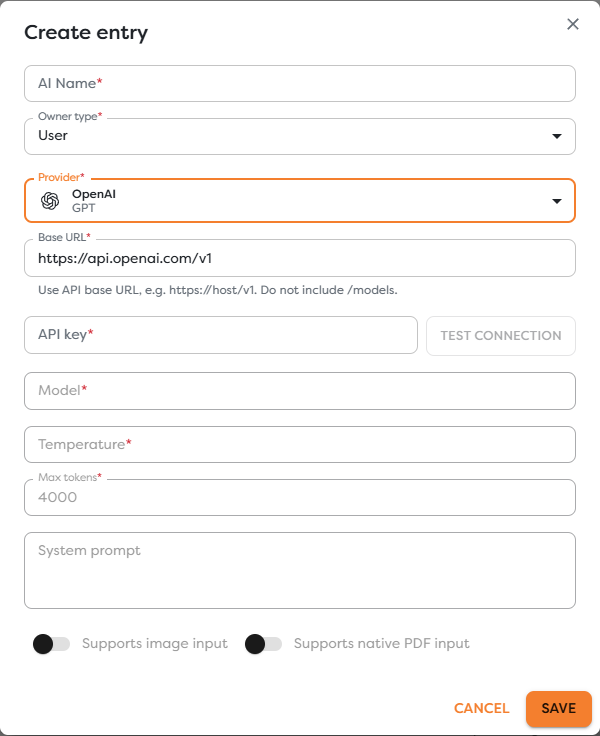
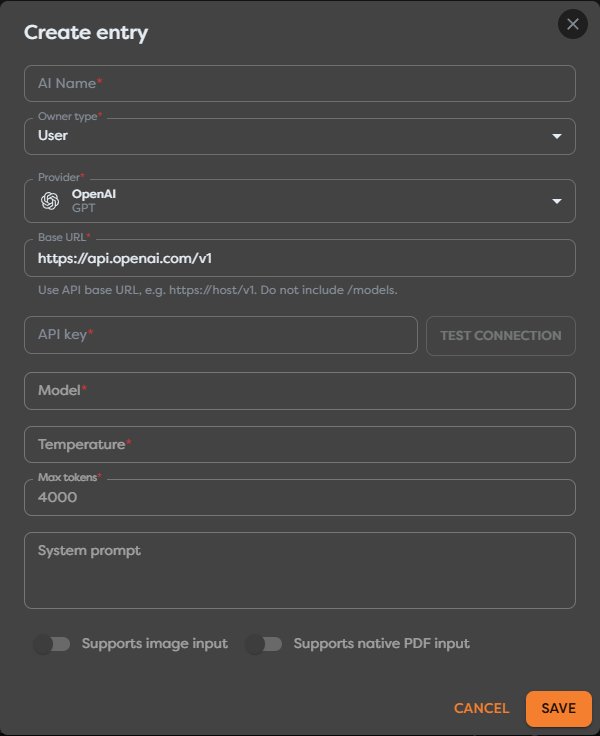
Choose a provider
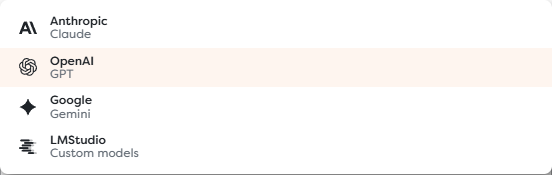
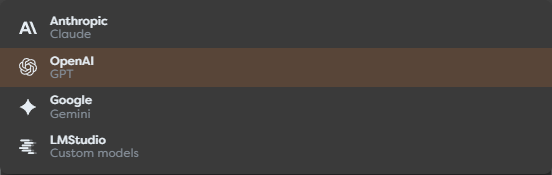
The current connection form supports these provider families:
| Provider | Where to obtain configuration | Connection notes |
|---|---|---|
| OpenAI / GPT | OpenAI API quickstart | The default API base is https://api.openai.com/v1; use a project API key with appropriate billing and limits. |
| Anthropic / Claude | Anthropic API documentation | Create and manage the API key in the provider console, then test model availability for that account. |
| Google / Gemini | Gemini API documentation | Use a Gemini API key and select a model enabled for the associated Google project. |
| LMStudio / Custom models | LM Studio local server documentation | Supply a reachable compatible API base and model; a server bound only to the browser machine's localhost is not reachable by a remote executor. |
The custom option is intended for LM Studio and compatible model servers. Compatibility at the HTTP endpoint does not guarantee identical model features, limits, or tool behavior.
Create and test a connection
- Open AI Agents and select Create.
- Enter a descriptive AI Name.
- Select personal or team Owner type.
- Choose the Provider.
- Review the Base URL. Use the API base, such as
https://host/v1, and do not append/models. - Enter the provider API key.
- Select Test connection.
- Choose a discovered Model.
- Set the default temperature, maximum output tokens, and system prompt.
- Mark image and native PDF support only when the selected model and endpoint actually support them.
- Save the connection and test it from an AI Agent block.
Testing confirms that the endpoint accepts the current credentials and can expose usable model information. It does not guarantee enough provider quota, every optional capability, or successful production prompts.
Configure defaults and capabilities
The connection's temperature, maximum tokens, and system prompt become source defaults. An AI Agent block can override supported values, so review block-level overrides when changing the connection model.
Capability toggles affect whether workflows treat the source as accepting images or native PDFs. Do not enable a capability only to make a block selectable. Verify it with a small representative attachment and inspect the provider response.
Model names and availability can change. Rerun the connection test and review dependent workflows after changing the endpoint, key, account, or provider-side model access.
Understand ownership and billing
A private connection is available to compatible personal workflows owned by that user. A team-owned connection can support shared team projects for eligible members. The AI Agent source dialog lists only connections available in the current project scope.
Provider requests use the connected provider account and are charged or rate-limited by that provider. Builders workflow compute tokens still apply to execution of the AI block. See Choose a Model Source and Control Usage for the complete source comparison.
Protect provider credentials
- Use an API key dedicated to the intended environment and owner.
- Apply provider-side project, spend, and rate limits where available.
- Never paste the key into prompts, templates, schemas, exports, logs, or screenshots.
- Separate test and production provider projects or keys.
- Rotate an exposed key at the provider first, then replace and retest the Builders connection.
- Review every dependent workflow before deleting a shared connection.
Troubleshoot private AI connections
- Test connection is disabled: complete the provider, base URL, and credential fields first.
- No models are discovered: verify the API base, key permissions, provider account, server compatibility, and network reachability.
- The endpoint is unreachable: expose the model server through a route reachable from the Builders executor; browser-local
localhostis not sufficient. - Authentication fails: create a valid provider key and confirm it belongs to the expected project or account.
- A model rejects images or PDFs: correct the capability toggles and use a model that supports the attachment type.
- The connection is absent from a block: verify personal or team ownership and the current project scope.
- The provider reports quota or rate limits: resolve billing, quota, or throughput at the provider; changing Builders compute limits does not remove provider limits.