
Queue Integrations
Queue integrations connect Builders to ActiveMQ, RabbitMQ, Amazon SQS, or Amazon SNS. They can back a published Queue Trigger, authorize Queue Action operations, and, when MCP is enabled, make supported queue tools available to an AI Agent.
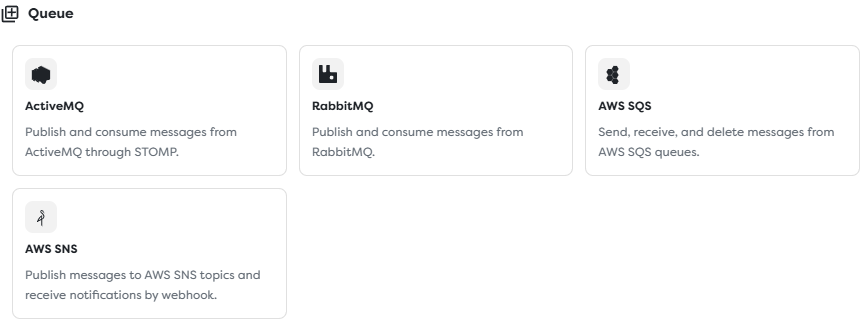
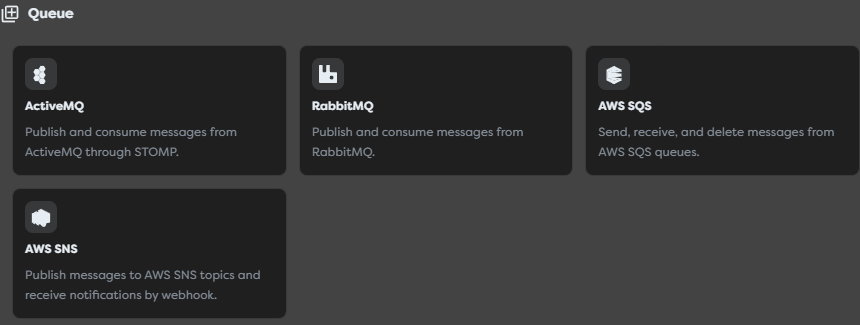
Choose the transport and delivery model
The four adapters belong to one Builders category, but they do not expose one universal queue protocol.
| Integration | Connection from Builders | Inbound delivery | Destination model | Completion model |
|---|---|---|---|---|
| ActiveMQ | STOMP or STOMP over TLS | Builders consumes a configured queue or topic for a published trigger | STOMP queue or topic destination | STOMP acknowledgement according to the consumer mode |
| RabbitMQ | AMQP or AMQP over TLS | Builders consumes the configured queue for a published trigger | Exchange, queue, binding, and routing key | AMQP acknowledgement tied to the delivery channel |
| AWS SQS | AWS API polling | Builders polls a queue URL for a published trigger | Standard or FIFO queue in one AWS region | Delete with the current receipt handle; visibility controls redelivery delay |
| AWS SNS | AWS API for publishing; HTTPS callback for receiving | SNS pushes a signed notification to the saved integration callback | Topic and confirmed HTTP/HTTPS subscription | Successful callback response; no queue receipt handle |
Choose the adapter that owns the actual destination. Do not select SNS as if it were an SQS queue, or treat an ActiveMQ topic as if it had RabbitMQ exchange and binding semantics.
Understand the three queue paths
Queue integrations can participate in three independent paths:
Publish
workflow Queue Action or approved AI tool
-> Builders queue integration
-> broker queue, exchange, or AWS topic
Consume
broker queue
-> Builders queue integration consumer
-> Queue Trigger in a published pipeline
-> workflow run
SNS webhook
AWS SNS topic and confirmed subscription
-> Builders integration callback URL
-> Queue Trigger in a published pipeline
-> workflow run
An integration connection test cannot prove all three paths. Broker or AWS API access does not prove that a Queue Trigger is published, and an accepted SNS callback does not prove that the stored AWS identity may publish to the topic.
Configure the connection and destination
Create the integration in the ownership scope of the project that will use it. The provider account or broker identity should have only the operations required by the intended trigger, action, and AI tools.
ActiveMQ
Configure the externally reachable STOMP broker URL, optional Username and Password, at least one default queue or topic, and an optional Prefetch value.
- Use the STOMP connector port rather than the broker administration port.
- Prefer
stomp+ssl://and trusted certificate validation for traffic outside a protected network. - Grant consume and acknowledge rights for inbound processing; add send rights only when a Queue Action or AI tool must publish.
- Treat queue and topic destinations separately. A topic distributes to active subscriptions, while a queue represents competing consumption.
- Start with a conservative prefetch and increase it only after measuring outstanding work and redelivery.
See the official ActiveMQ Classic STOMP documentation.
RabbitMQ
Configure the sensitive Connection URL, required default Queue, optional Exchange and Routing key, and optional Prefetch.
The AMQP URL can contain the username, password, host, port, and virtual host. Keep it out of workflow templates, logs, and screenshots. Confirm that the queue exists and that the intended exchange and routing key actually route to it.
Use a dedicated RabbitMQ user and virtual host where practical. Grant configure permissions only if Builders must declare topology; otherwise restrict read and write patterns to the required resources. RabbitMQ delivery tags are scoped to their AMQP channel, so they are not durable business identifiers and cannot be acknowledged through an unrelated delivery context.
Review RabbitMQ access control, the AMQP URI specification, and consumer acknowledgements and publisher confirms.
Amazon SQS
Configure the Region, complete Queue URL, Access key ID, Secret access key, and an optional compatible Custom endpoint.
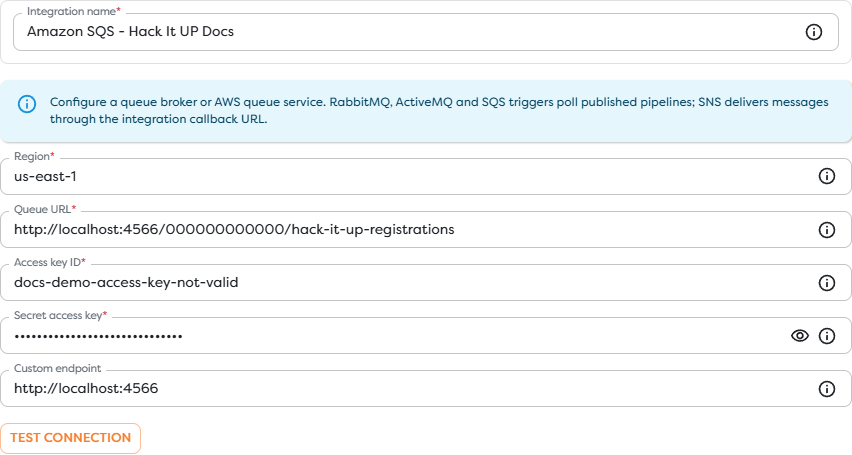
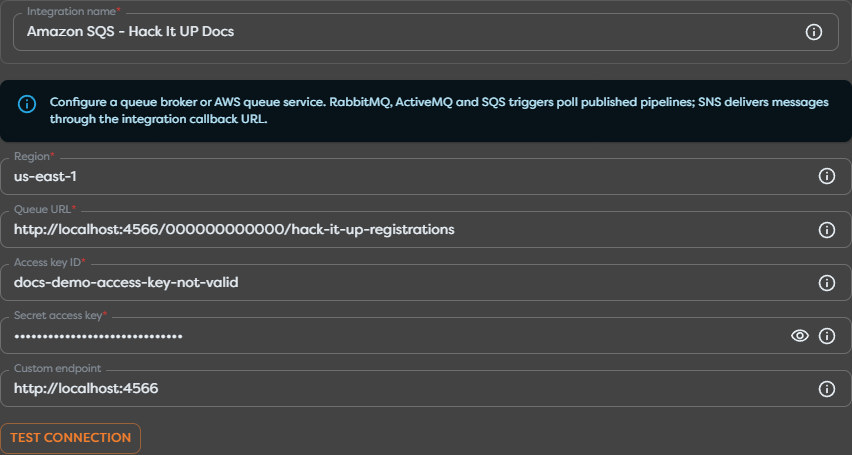
The screenshot uses an unreachable LocalStack-style URL and deliberately invalid example credentials. It does not expose a live AWS queue.
For a consumer, scope IAM access to the intended queue and the receive, queue-metadata, visibility, and delete operations required by the adapter. Add send permission only when the workflow or AI tool publishes. Prefer short-lived role credentials when the Builders deployment supports them; otherwise use a dedicated access key and rotate it deliberately.
Receiving does not remove an SQS message. The provider temporarily hides it and returns a receipt handle. Successful processing must reach the integration's supported deletion boundary before the visibility timeout expires. SQS uses at-least-once delivery, so duplicates remain possible even with a suitable timeout.
Use Amazon SQS queue identifiers, visibility timeout guidance, and AWS access-key guidance.
Amazon SNS
Configure the Region, complete Topic ARN, AWS credential, optional compatible Custom endpoint, and any Builders Webhook secret required for compatible custom senders. The Topic ARN region must match the configured region.
SNS inbound delivery uses a saved integration callback rather than polling:
- Save the integration.
- Reopen it and copy the complete callback URL.
- Create an HTTP or HTTPS subscription on the intended SNS topic.
- Complete the
SubscriptionConfirmationflow. - Verify that the subscription is confirmed before publishing a test notification.
- Keep the Queue Trigger in the intended published pipeline.
Native SNS notifications carry AWS signature metadata. Do not replace signature validation with a shared secret, trust an arbitrary SigningCertURL, or automatically visit a confirmation URL before validating the message and expected topic. Use HTTPS and restrict the topic policy to approved publishers and subscriptions.
Follow AWS guidance for preparing an HTTP/HTTPS endpoint, subscription confirmation, and SNS security best practices.
Connect the integration to Builders
The integration is reusable authorization and destination configuration. The selected workflow element determines what Builders does with it.
| Builders surface | Direction | Typical operations | Live-execution requirement |
|---|---|---|---|
| Queue Trigger | Inbound | Consume or receive provider messages and expose the event through Out | The pipeline version containing the trigger must be published |
| Queue Action | Outbound or completion | Publish, read where supported, acknowledge, or delete with provider delivery context | Runs whenever the containing test or published workflow reaches the block |
| AI Agent queue tool | Model-requested operation | Publish, read, or acknowledge through an explicitly enabled tool | MCP must be enabled on the integration and the individual tool must be allowed |
A Designer edge transports data between blocks. It does not grant queue access. The block or tool must select a compatible integration that is visible in the project's personal or team scope.
Use Queue Trigger for trigger settings, polling limits, visibility timeout, normalized input, and published-run testing.
Treat acknowledgement as a business boundary
Do not acknowledge or delete a message merely because Builders received it. Decide which durable effect transfers responsibility away from the queue, such as committing a database transaction, writing an idempotency record, or handing the event to another durable queue.
| Provider | Value required for completion | What happens without successful completion |
|---|---|---|
| ActiveMQ | Message or acknowledgement context required by the STOMP subscription | The broker applies its acknowledgement and redelivery policy |
| RabbitMQ | Delivery tag on the same delivery channel and consumer context | An unacknowledged delivery is normally requeued when the channel or connection closes |
| Amazon SQS | Current receipt handle from that receive operation | The message becomes visible again after its visibility timeout |
| Amazon SNS | Successful HTTP response from the callback | SNS retries according to the subscription delivery policy |
A provider message ID is not a receipt handle or AMQP delivery tag. Never construct these completion values, reuse them across receives, or substitute one identity for another.
Queue Action exposes Acknowledge / delete message for compatible adapters. Pass the exact delivery value returned by the Queue Trigger or supported read operation. Verify the adapter's actual acknowledgement point with a controlled failure test before relying on it in production.
Enable queue access for an AI Agent
All current queue integrations expose the MCP step. Enabling MCP makes the saved connection eligible for supported queue tools; it does not enable those tools automatically.
Keep each tool grant narrow:
- a publisher normally needs no read or acknowledge operation;
- a monitor may read queue state without consuming business messages;
- an agent should not acknowledge a delivery unless its prompt, tool contract, and workflow define the durable success boundary;
- production and test agents should use separate queues or topics and separate integration records;
- untrusted message bodies must not be allowed to instruct the agent to broaden tools, disclose credentials, or acknowledge unrelated work.
See Configure Tools and Integrations.
Design for retries, duplicates, and ordering
At-least-once delivery and uncertain publish responses mean the same business event can be observed more than once.
- Include a stable business event ID and schema version in every message you control.
- Validate and parse the body before using it as JSON or passing it to privileged operations.
- Store an idempotency key atomically with the business effect whenever possible.
- Preserve provider message IDs, source destinations, correlation IDs, receive counts, and redelivery flags for diagnosis without logging secrets or receipt handles.
- Send repeatedly failing messages to a dead-letter queue or equivalent failure destination.
- Define replay procedures that reuse the business ID and do not duplicate completed effects.
- Use provider-specific ordering controls, such as SQS FIFO message groups, only when the producer and consumer both enforce the same ordering key.
Broker arrival order, workflow start order, and workflow completion order can differ. If order matters, carry an entity version or sequence number and reject stale updates at the state store.
Test the complete connection
Use a dedicated non-production destination and one uniquely identifiable message.
- Run Test connection with the final integration fields.
- Confirm project ownership and MCP status before selecting the integration in a block or tool.
- Create a minimal Queue Trigger path that inspects
{{input}}without an external side effect. - Publish the intended pipeline version.
- Publish one controlled message through the real producer or a Queue Action.
- Match the provider message identity with the Builders run.
- Confirm acknowledgement, deletion, or callback delivery at the provider.
- Repeat with a deliberate downstream failure and verify redelivery or retry behavior.
- Test publishing separately from consuming.
For SNS, also verify subscription confirmation and signature handling. For SQS, observe visibility and deletion. For RabbitMQ or ActiveMQ, observe the unacknowledged delivery count, prefetch behavior, and redelivery after a consumer interruption.
Secure queue integrations
- Keep broker URLs, passwords, AWS keys, webhook secrets, receipt handles, and delivery tags in supported integration or runtime fields.
- Use encrypted transports and trusted certificate validation for remote AMQP, STOMP, and webhook traffic.
- Restrict broker users, virtual hosts, destinations, IAM policies, topic policies, and queue policies to the required resources and operations.
- Separate development, staging, and production destinations so documentation or test runs cannot consume live work.
- Encrypt sensitive message content and apply deliberate retention and deletion policies to primary and dead-letter queues.
- Monitor queue age, backlog, in-flight deliveries, receive counts, callback failures, dead-letter depth, and credential use.
A custom endpoint can be useful for LocalStack or another controlled compatibility test. Do not point production credentials at an arbitrary SQS- or SNS-compatible endpoint without reviewing its TLS, signing, durability, authentication, and data-location behavior.
Troubleshoot the queue path
- The integration test cannot connect: verify protocol, DNS, port, TLS, broker virtual host or AWS region, credentials, network allowlists, and custom endpoint reachability.
- Queue Trigger is unavailable: create a compatible integration in the project's ownership scope and publish the pipeline containing the trigger.
- RabbitMQ publishes but nothing arrives: inspect the exchange, routing key, binding, queue, virtual host, permissions, and unroutable-message behavior.
- ActiveMQ receives nothing: confirm the STOMP connector, destination prefix, queue or topic choice, credentials, and subscription permissions.
- SQS messages repeat: align visibility with processing time, delete using the current receipt handle, inspect competing consumers, and make effects idempotent.
- SQS messages remain in flight: inspect the visibility timeout, failed deletion, stale receipt handles, workflow duration, and in-flight quotas.
- SNS stays pending: inspect the saved callback URL, confirmation event, expected Topic ARN, signature validation, topic policy, and endpoint reachability.
- SNS publishing works but inbound runs do not start: API credentials and webhook subscription are separate paths; verify the confirmed subscription and published Queue Trigger.
- An AI Agent cannot select the queue: verify project ownership, MCP status, integration compatibility, and the individual queue tool allowlist.
- Acknowledge or delete fails: use the delivery context from the same provider receive operation and integration, not the provider message ID.