
Wait for all
Use Wait for all to synchronize parallel workflow paths. The block emits one output only after every configured input key has received data, then combines those payloads under the configured output keys.
The example builds attendee and event data on separate paths before joining them.
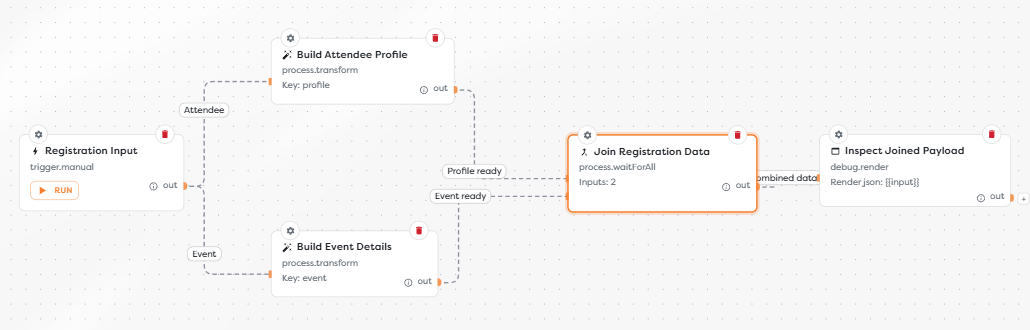
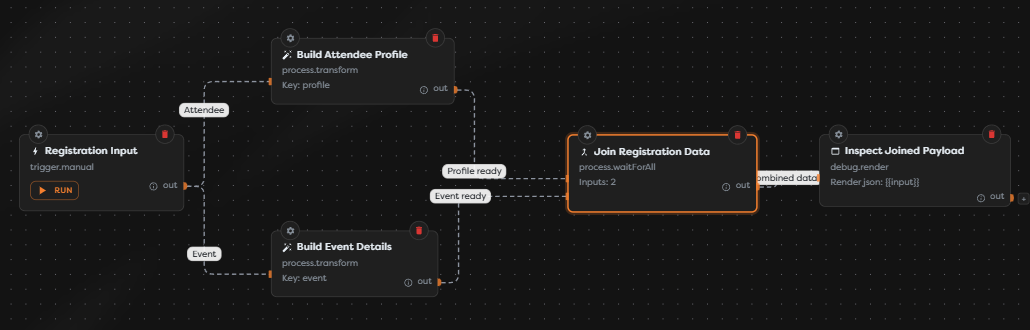
Configure input mappings
Add Wait for all from the Process category. Add one mapping for every path that must finish:
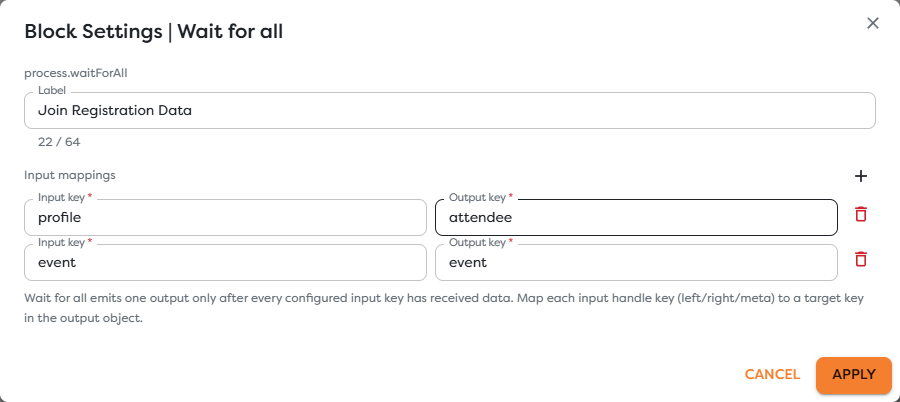
| Input key | Output key | Meaning in the example |
|---|---|---|
profile | attendee | Receives the completed attendee-profile path. |
event | event | Receives the completed event-details path. |
Each input key creates or identifies a dynamic input handle on the block. Connect the matching upstream path to that handle. Output keys define the properties in the combined result.
Input keys must be unique within the block, and output keys should also be unique. Use stable descriptive keys instead of positional names such as left and right once the business roles are known.
Understand completion
Wait for all tracks the configured inputs for one workflow run. Arrival order does not matter. It emits only when every required input has arrived.
For the example, the combined value is conceptually:
{
"attendee": {
"input": {
"registration": {
"attendeeName": "Ada Lovelace",
"attendeeEmail": "ada@example.com"
}
},
"profile": {
"name": "Ada Lovelace",
"email": "ada@example.com"
}
},
"event": {
"input": {
"registration": {
"attendeeName": "Ada Lovelace",
"attendeeEmail": "ada@example.com"
}
},
"event": {
"name": "Hack It UP",
"venue": "New York Expo"
}
}
}
The value stored for each output key is the payload delivered by that mapped path. If an upstream Transform already wraps its result under profile or event, that wrapper remains present. Inspect the join output before choosing downstream expressions.
Design paths that can all complete
Every configured input is mandatory for that execution. Do not map a path that can be skipped by an If or Switch branch unless the workflow guarantees an alternative value reaches the same input.
| Situation | Result |
|---|---|
| Every mapped path succeeds and reaches its handle | One combined output is emitted. |
| One required path is still running | The join continues waiting. |
| One required path fails before reaching the join | The combined output is not produced on that route. |
| A condition sends work away from a required input | The join cannot complete unless another route supplies it. |
Use If / Else to produce a value on both alternatives when the join requires a field regardless of the decision. If only one of several branches should continue, route those branches directly instead of using Wait for all.
Avoid duplicate side effects
Parallel branches can finish in any order. They should not depend on each other's timing unless that dependency is represented by a connection. If two branches modify the same external record, define ownership or concurrency controls in the target system.
The join does not make earlier side effects transactional. If one branch sends a message and another branch later fails, Wait for all cannot undo the sent message.
Test the join
- Save the workflow with every dynamic input connected.
- Start a controlled run.
- Confirm that both branches appear as separate executions.
- Select Wait for all and inspect its received inputs.
- Confirm that the next block starts only after both branches finish.
- Compare the combined output keys with the configured mappings.
Test failure and condition paths separately. The successful diagram alone does not prove that every real execution can satisfy all mapped inputs.
Troubleshoot Wait for all
- The block waits indefinitely: find which configured input never received a payload and trace its upstream condition or failure.
- A connection targets the wrong handle: reconnect the path to the handle whose input key matches its business role.
- The output is nested more than expected: inspect the complete payload from each upstream block and account for its existing result key.
- One result replaced another: assign unique output keys.
- A failed branch produced no combined result: handle or prevent the branch failure before the join; Wait for all cannot combine missing input.
- Only one branch is required: remove the unnecessary mapping or use normal routing rather than synchronization.